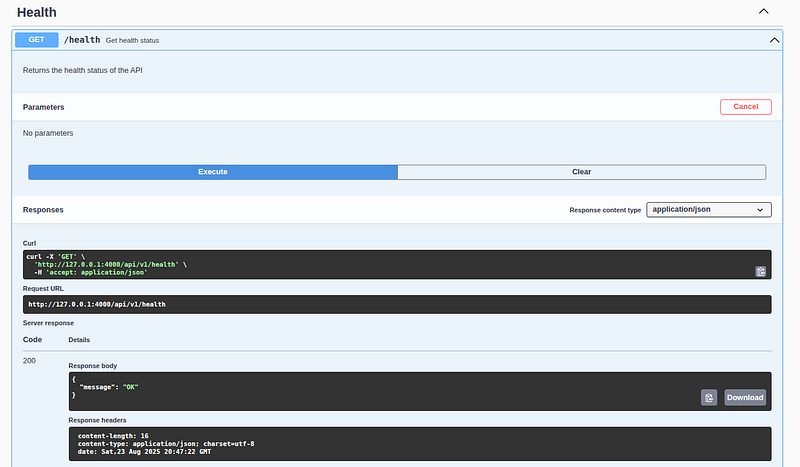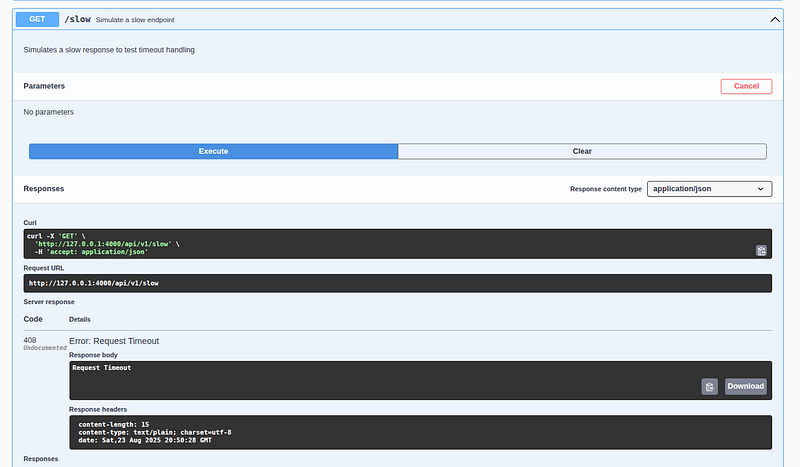
In the previous post, a Swagger file was created to provide clearer documentation. At this stage, the focus is on designing a product structure to outline the project. The main objective is to implement CRUD functionality in the admin panel and define the required Golang structures.
In this article, we’ll walk through a real-world example of how to structure a Go web application using layered architecture, and solve a common but critical problem: showing different data to different users — like Admins vs. Clients — without compromising security or maintainability.
🎯 The Problem
Imagine you’re building an e-commerce backend with two types of users:
- Admins: Need full access to product details (price, cost, inventory, creation date).
- Clients: Should only see public info (name, ID, selling price).
How do you:
- Structure your code cleanly?
- Prevent sensitive data from leaking to clients?
- Avoid code duplication and tight coupling?
Let’s explore the journey from a basic handler-based app to a clean, layered, and secure Go API.
🏗️ Step 1: Start with Layered Architecture
A clean Go project should separate concerns into distinct layers:
internal/├── model/       → Data structures (e.g., Product)├── repository/  → Data access (DB,
in-memory store)├── service/     → Business logic├── controller/  → HTTP handlers└── dto/         →
Data Transfer Objects (for API responses)
This follows the Hexagonal or Clean Architecture principles, where:
- Lower layers don’t depend on higher ones.
- The domain model (
Product) is the single source of truth.
❌ Common Mistake: Defining Product in Multiple Layers
A tempting but dangerous shortcut is to define Product separately in service and repository:
// ❌ In service/product.gotype Product struct {    ID    string    Name  string    Price float64}//
❌ In repository/product.gotype Product struct {    ID    string    Name  string    Price float64}
Even if they look identical, Go treats them as completely different types.
💥 Consequences:
- You can’t pass
repository.Producttoservice.Productdirectly. - Manual mapping is required → boilerplate code.
- If you add a field (e.g.,
Category), you must update both structs. - Risk of inconsistency and bugs.
- Tight coupling between layers.
This violates the DRY principle and makes your app fragile.
✅ Solution: One Product in model/
Define Product once, in internal/model/product.go:
package modeltype Product struct {
    ID string
    `json:"id"`
    Name string
    `json:"name"`
    Price float64 `json:"price"`
    CostPrice float64 `json:"-"` // Internal field
    Inventory int `json:"-"` // Hidden by default
    CreatedAt time.Time `json:"created_at"`
}
Now, all layers are imported and used model.Product:
import "your-module/internal/model"func (s *ProductService) GetProduct(id string) (model.Product,
error) {
    ...
}
✅ No duplication
✅ No mapping
✅ One change updates all layers
🔐 Step 2: Control What Data Is Exposed
Now comes the real challenge: admins see everything, but clients see only public fields.
You might be tempted to use JSON tags like json:"-" or conditionally omit fields — but that’s error-prone and hard to test.
✅ Best Practice: Use DTOs (Data Transfer Objects)
Create response-specific structs in internal/dto/product_dto.go:
package dtotype ClientProductResponse struct {
    ID string `json:"id"`
    Name string `json:"name"`
    Price float64 `json:"price"`
}
type AdminProductResponse struct {
    ID string
    `json:"id"`
    Name string
    `json:"name"`
    Price float64 `json:"price"`
    CostPrice float64 `json:"cost_price"`
    Inventory int `json:"inventory"`
    CreatedAt time.Time `json:"created_at"`
}
And add helper functions to convert:
func ToClientProduct(p model.Product) ClientProductResponse {
    ...
}
func ToAdminProduct(p model.Product) AdminProductResponse {
    ...
}
This ensures:
- The same domain logic is used everywhere.
- The output is controlled per audience.
- No risk of accidentally exposing
CostPriceto clients.
🔄 Layered Flow: From DB to HTTP
Here’s how data flows through the system:
Database/In-Memory       ↓repository → Returns model.Product       ↓service    → Applies business
rules       ↓controller → Converts to dto.AdminProductResponse or dto.ClientProductResponse
↓HTTP Response (JSON)
Each layer has a clear responsibility:
- Repository: Load/save data.
- Service: Validate, compute, orchestrate.
- Controller: Handle HTTP, choose DTO, send JSON.
🚀 Final Thoughts
Go’s simplicity can tempt us to skip structure — but as your app grows, good architecture saves time, reduces bugs, and improves security.
✅ Key Takeaways:
- Define domain models once — in
internal/model. - Never duplicate structs across layers.
- Use DTOs to control API output for different audiences.
- Keep the service layer clean — it should use
model.Product, not define it. - Let controllers handle presentation, not business logic.
✅ Goal: Modular, Microservice-Ready Structure
Combine Domain + Use Case
Instead of separating by role, use DTOs and controllers to handle role-based views — but keep the core in the domain.
Example: product The module supports both roles
internal/product/
├── model/
│
└── product.go              → Full domain model
├── dto/
│
├──
client_product.go       → Public fields
│
└── admin_product.go        → All fields
├── controller/
│

├── client_controller.go    → Returns ClientProduct
│
└── admin_controller.go     → Returns
AdminProduct
└── service/
└── product_service.go      → Business logic (used by both)
✅ Same service
✅ Same model
✅ Two DTOs + Two controllers
But one source of truth.
Health Controller
go-simple/
├── main.go
├── internal/
│ └── health/
│ └── controller/
│ └── health_controller.go
Github Codes
Swagger Examples