
Add SonarQube to the Golang project
In modern software development, maintaining high code quality, identifying security vulnerabilities, and ensuring efficient code practices are critical for building robust and scalable applications. SonarQube, a leading open-source platform for continuous code quality inspection, plays a pivotal role in addressing these needs by analyzing code for bugs, code smells, security hotspots, and other issues across multiple languages — including Go (Golang).
This article provides a practical, step-by-step guide to integrating SonarQube into a Golang project. Whether you’re a developer looking to enhance your code’s maintainability or a team aiming to enforce consistent quality standards, this tutorial will walk you through the essential processes: installing Docker (for running the SonarQube server), setting up prerequisites like Java and the SonarScanner CLI, configuring your project for SonarQube analysis, generating necessary coverage and test reports, and executing the SonarScanner to submit your project’s code quality data to the SonarQube server.
By following these steps, you’ll gain visibility into your Go code’s health, enabling proactive fixes and fostering better collaboration. Let’s dive into the process to ensure your Golang project benefits from SonarQube’s powerful code inspection capabilities.
Once a clean architecture has been developed using GoLang, integrating SonarQube becomes necessary to enhance the analysis of test coverage and code quality.
✅ Step 1: Install Docker
✅ Step 2: Prerequisites
1. Run a SonarQube Server (Optional for Local Testing)
Download and install the SonarScanner CLI :
docker run --name sonarqube \
  -p 9000:9000 \
sonarqube:latestThen access:
http://localhost:9000Default login: admin / admin2.SonarScanner CLI
Install Java (SonarScanner requires Java)
# Update package list
sudo apt update# Install OpenJDK 17 (recommended)
sudo apt install
openjdk-17-jdk -y# Verify Java installationjava -version
Download SonarScanner
# Download SonarScanner (replace with latest version if needed)wget
https://binaries.sonarsource.com/Distribution/sonar-scanner-cli/sonar-scanner-cli-5.0.1.3006-linux.zip# Create a directory for SonarScannersudo mkdir -p /opt/sonar-scanner# Unzip the downloaded filesudo unzip sonar-scanner-cli-5.0.1.3006-linux.zip -d /opt/sonar-scanner# Rename folder for easier referencesudo mv /opt/sonar-scanner/sonar-scanner-5.0.1.3006-linux /opt/sonar-scanner/sonar-scanner
Set Environment Variables
echo 'export SONAR_SCANNER_HOME=/opt/sonar-scanner/sonar-scanner' | sudo tee -a /etc/profileecho
'export PATH=$SONAR_SCANNER_HOME/bin:$PATH' | sudo tee -a /etc/profile
Reload the environment:
source /etc/profile💡 Alternatively, add those lines to ~/.bashrc if you want it only for your user:
cho 'export SONAR_SCANNER_HOME=/opt/sonar-scanner/sonar-scanner' >> ~/.bashrcecho
'export PATH=$SONAR_SCANNER_HOME/bin:$PATH' >> ~/.bashrcsource ~/.bashrc
Verify Installation
sonar-scanner -v✅ Step 3: Add SonarQube Configuration to Your Project
# Required metadatasonar.projectKey=mobintmu_go-simplesonar.projectName=Go
Simplesonar.projectVersion=1.0# Source code locationsonar.sources=.# Languagesonar.language=go#
Encodingsonar.sourceEncoding=UTF-8# Exclude tests and vendor
(optional)sonar.exclusions=**/vendor/**,**/*_test.go# Go-specific: Use golangci-lint to generate
report for
SonarQubesonar.go.coverage.reportPaths=coverage.outsonar.go.tests.reportPaths=test-report.xml
✅ Step 4: Generate LCOV Report for SonarQube (2024+ Compatible), Run Go Tests & Generate Coverage Profile
go test -coverprofile=coverage.out ./...go test ./... -json > report.json✅ Step 5: Run SonarScanner
sonar-scanner \  -Dsonar.projectKey=my-go-project \  -Dsonar.sources=. \
-Dsonar.go.coverage.reportPaths=coverage.out \  -Dsonar.host.url=http://localhost:9000 \
-Dsonar.login=<your_token>INFO: Start fetching files for the text and secrets analysisINFO: Using Git CLI to retrieve
untracked filesINFO: Retrieving language associated files and files included via
"sonar.text.inclusions" that are tracked by gitINFO: Starting the text and secrets analysisINFO: 9
source files to be analyzed for the text and secrets analysisINFO: 9/9 source files have been
analyzed for the text and secrets analysisINFO: 2 files are ignored because they are untracked by
gitINFO: Sensor TextAndSecretsSensor [text] (done) | time=281msINFO: ------------- Run sensors on
projectINFO: Sensor Zero Coverage SensorINFO: Sensor Zero Coverage Sensor (done) | time=0msINFO:
------------- Gather SCA dependencies on projectINFO: Dependency analysis skippedINFO: CPD Executor
Calculating CPD for 5 filesINFO: CPD Executor CPD calculation finished (done) | time=4msINFO:
Analysis report generated in 38ms, dir size=261.2 kBINFO: Analysis report compressed in 12ms, zip
size=39.6 kBINFO: Analysis report uploaded in 13msINFO: ANALYSIS SUCCESSFUL, you can find the
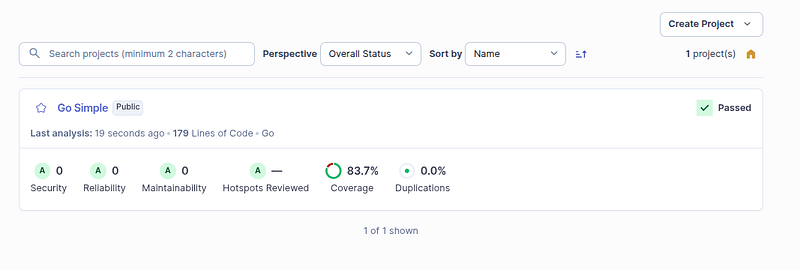
results at: http://127.0.0.1:9000/dashboard?id=go-simpleINFO: Note that you will be able to access
the updated dashboard once the server has processed the submitted analysis reportINFO: More about
the report processing at http://127.0.0.1:9000/api/ce/task?id=696eINFO: Analysis total time: 1.950
sINFO: ------------------------------------------------------------------------INFO: EXECUTION
SUCCESSINFO: ------------------------------------------------------------------------INFO: Total
time: 2.619sINFO: Final Memory: 17M/80MINFO:
------------------------------------------------------------------------Gitginore
Add these files to .gitignore
sonar_command.txt.scannerwork/report.jsoncoverage.outResult
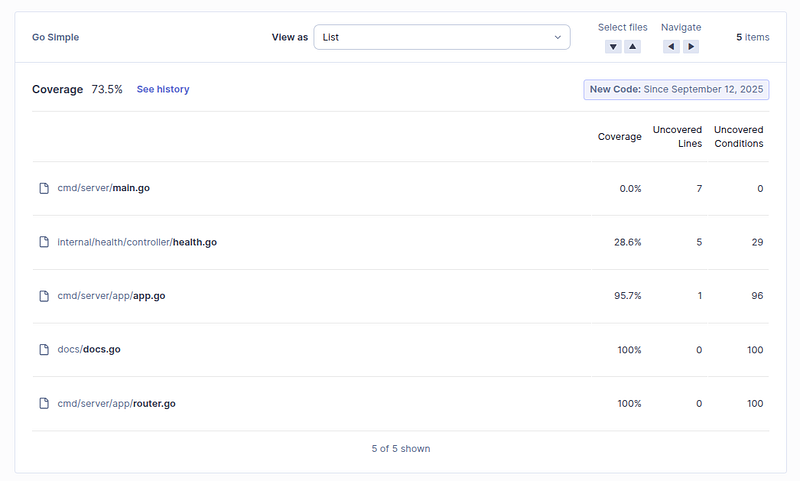
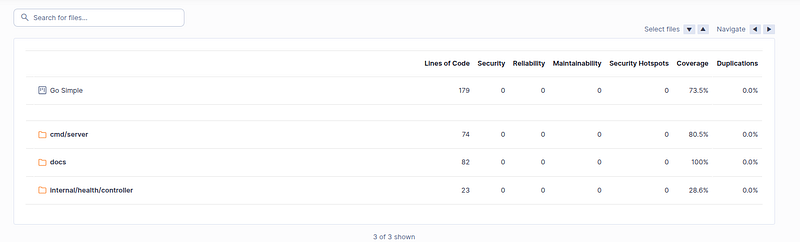
Summarize commands:
docker run --name sonarqube \
  -p 9000:9000 \
  sonarqube:latest
go test -coverprofile=coverage.out ./...
go test ./... -json > report.json```sonar-scanner \
  -Dsonar.projectKey=go-simple \
  -Dsonar.sources=. \
  -Dsonar.host.url=http://127.0.0.1:9000 \
  -Dsonar.token=sqp_XXXXXXX```export SONAR_HOST_URL=http://127.0.0.1:9000export SONAR_TOKEN=sqp_XXXXXX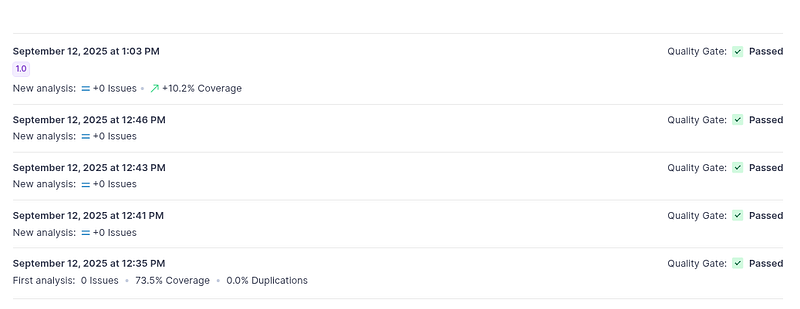
Github Commit codes
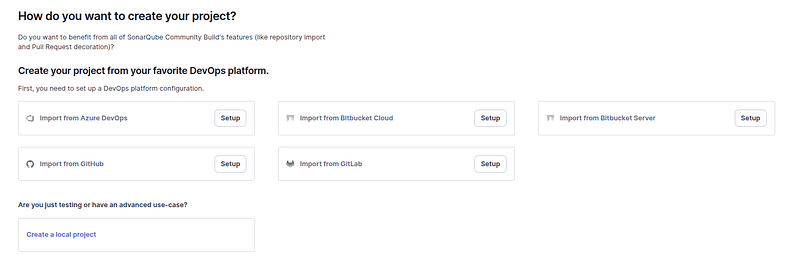
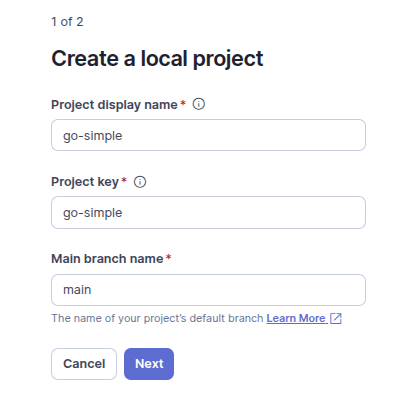
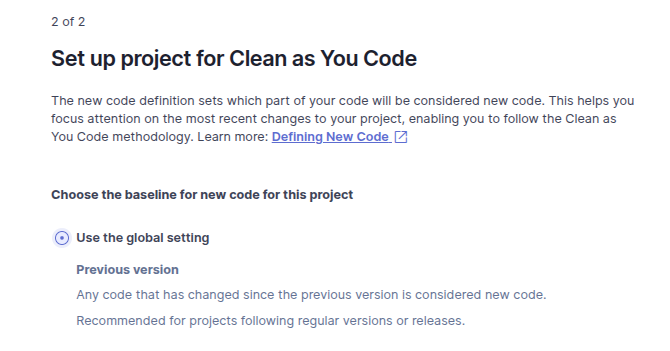
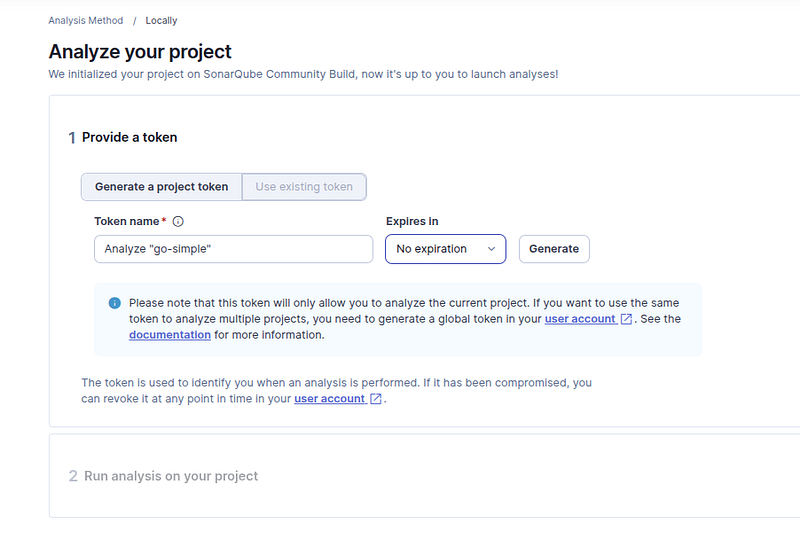
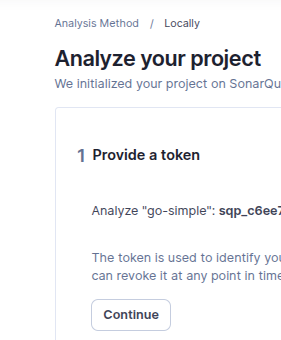
Set up Sonar Local Project
Final Docker-Compose file
services:
  redis:
    image: redis:alpine
    ports:
      - "6379:6379"
    volumes:
      - redis-data:/data
    restart: unless-stopped
  postgres:
    image: postgres:latest
    environment:
      - POSTGRES_USER=user
      - POSTGRES_PASSWORD=pass
      - POSTGRES_DB=database
    volumes:
      - postgres-data:/var/lib/postgresql/data
    ports:
      - "5432:5432"
    restart: unless-stopped
  sonar:
    image: sonarqube:latest
      ports:
      - "9000:9000"
    volumes:
      - sonar-data:/opt/sonarqube/data
      - sonar-extensions:/opt/sonarqube/extensions
      - sonar-logs:/opt/sonarqube/logs
    restart: unless-stopped
    deploy:
      resources:
        limits:
          memory: 2g
        reservations:
          memory: 2gvolumes:
  redis-data:
  postgres-data:
  sonar-data:
  sonar-logs:
  sonar-extensions: