Deploy smart contract and connect with go Ethereum
In this article, I am going to deploy a smart contract to go and go-Ethereum on the local block chain.
Go-ethereum
Go, a programming language developed by Google, is one of the languages used to build the Ethereum network, and Go Ethereum is the interface used to write, edit and manipulate the Go code for the blockchain. Aside from Go, the Ethereum blockchain and protocol are also heavily based on Python and C++.
USDT smart contract
Proof-of-work (PoW)
The Ethereum network began by using a consensus mechanism that involved Proof-of-work (PoW). This allowed the nodes of the Ethereum network to agree on the state of all information recorded on the Ethereum blockchain and prevented certain kinds of economic attacks. However, Ethereum switched off proof-of-work in 2022 and started using proof-of-stake instead.
Proof-of-work has now been deprecated. Ethereum no longer uses proof-of-work as part of its consensus mechanism. Instead, it uses proof-of-stake. Read more on proof-of-stake and staking.
Proof-of-stake (PoS)
Proof-of-stake (PoS) underlies Ethereum’s consensus mechanism. Ethereum switched on its proof-of-stake mechanism in 2022 because it is more secure, less energy-intensive, and better for implementing new scaling solutions compared to the previous proof-of-work architecture.
Proof-of-stake is a way to prove that validators have put something of value into the network that can be destroyed if they act dishonestly. In Ethereum’s proof-of-stake, validators explicitly stake capital in the form of ETH into a smart contract on Ethereum. The validator is then responsible for checking that new blocks propagated over the network are valid and occasionally creating and propagating new blocks themselves. If they try to defraud the network (for example by proposing multiple blocks when they ought to send one or sending conflicting attestations), some or all of their staked ETH can be destroyed.
Get project
git clone
https://github.com/owanhunte/ethereum-solidity-course-updated-code.git
cd lotterynode -vv18.19.0npm initlottery.sol file
pragma solidity >=0.5.0 <0.9.0;
contract Lottery {
  address public manager;
  address payable[] public players;
  constructor() {
    manager = msg.sender;
  }
  function enter() public payable {
    require(msg.value >=.01 ether,
    "A minimum payment of .01 ether must be sent to enter the lottery");
    players.push(payable(msg.sender));
  }
  function random() private view returns (uint256) {
    return uint256(keccak256(abi.encodePacked(block.prevrandao, block.number, players)));
  }
  function pickWinner() public onlyOwner {
    uint256 index = random() % players.length;
    address contractAddress = address(this);
    players[index].transfer(contractAddress.balance);
    players = new address payable[](0);
  }
  function getPlayers() public view returns (address payable[] memory) {
    return players;
  }
  modifier onlyOwner() {
    require(msg.sender == manager, "Only owner can call this function.");
    _;
  }
}
Install dependency
npm install solc
npm install @truffle/hdwallet-provider
npm install --save mocha ganache-cli web3
npm update
npm install [email protected] //deploy on infura
We need to change in package.json
"scripts": { "test": "mocha" },Run the tests
npm run test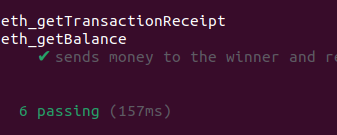
Deploy Contract
set .env file
A
C
C
O
U
N
T_
M
N
E
M
O
N
I
C="neutral ... "
G
O
E
R
L
I_
E
N
D
P
O
I
N
T="https://sepolia.infura.io/v3/code"
Run the deploy.js
node deploy.jsResult
Attempting to deploy from account 0x6e06Dc176Ee86DCb3C428a42Ed9AAeD9c0Eb1935Contract deployed to
0xc7e367A2EaE77148459b048ba3a3f6288EB82832
TXhash:
0xe87abc8cf10bde4395220b2c2eed29e378be3f425719354dc1c65ced9a7dd03d
Go-Ethereum
popularly referred to as Geth, is the official Ethereum client for building decentralized applications using the Go programming language. Geth is one of the preferred alternatives for running, setting up nodes, and interacting with Ethereum blockchains due to its ease of use.
go get github.com/ethereum/go-ethereumpackage main
import (
"context"
"fmt"
"log"
"github.com/ethereum/go-ethereum/common"
"github.com/ethereum/go-ethereum/ethclient"
)
var (contractAddress = common.HexToAddress("0xc7e367A2EaE77148459b048ba3a3f6288EB82832") myAddress =
common.HexToAddress("0x6e06Dc176Ee86DCb3C428a42Ed9AAeD9c0Eb1935")
)
func main() {
client, err := ethclient.Dial("https://sepolia.infura.io/v3/code") if err != nil {
log.Fatal(err)
}
networkID, err := client.NetworkID(context.Background()) if err != nil {
log.Fatal(err)
}
fmt.Println(networkID) balance, err := client.BalanceAt(context.Background(), contractAddress,
nil) if err != nil {
log.Fatal(err)
}
fmt.Println(balance) myBalance, err := client.BalanceAt(context.Background(), myAddress, nil) if
err != nil {
log.Fatal(err)
}
fmt.Println(myBalance)
}You can connect to the infura gateway if you don’t have an existing client. Infura manages a bunch of Ethereum [geth and parity] nodes that are secure, reliable, scalable and lowers the barrier to entry for newcomers when it comes to plugging into the Ethereum network.
client, err := ethclient.Dial("
https://mainnet.infura.io")Using Ganache
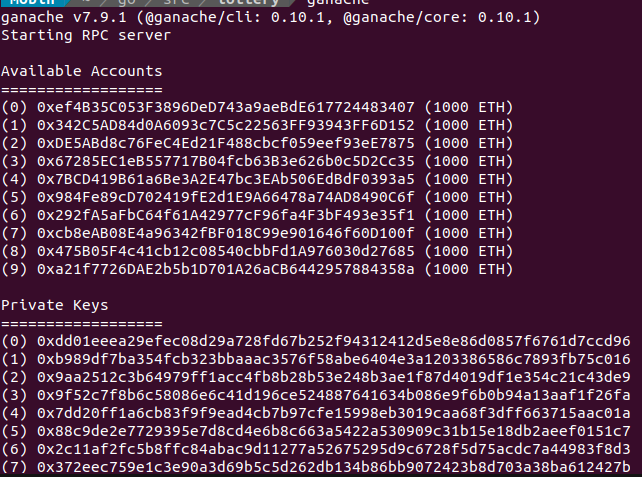
Ganache is an Ethereum simulator that makes developing Ethereum applications faster, easier, and safer. It includes all popular RPC functions and features (like events) and can be run deterministically to make development a breeze.
You must first install Node.js >= v16.0.0 and npm >= 7.10.0.
sudo
npm install -g ganache-cliganacheganache-cliConnect to Ganache
client, err := ethclient.Dial("
http://localhost:8545")if err != nil { log.Fatal(err)}ganache-cli -m "much repair shock carbon improve miss forget sock include bullet interest solution"Download UI Ganache
https://trufflesuite.com/ganache/wget
https://github.com/trufflesuite/ganache-ui/releases/download/v2.7.1/ganache-2.7.1-linux-x86_64.AppImage
chmod u+x <AppImage File>./exampleName.AppImagecd ~; ./ganache-2.7.1-linux-x86_64.AppImagedlopen(): error loading libfuse.so.2sudo apt install libfuse2Golang codes
address = "http://127.0.0.1:7545" client, err := ethclient.Dial(address) if err != nil {
log.Fatal(err) }
Deploy on Ganache-cli
GOERLI_ENDPOINT="
http://localhost:8545"ganache-cli -m "neutral ..."node deploy.jsAttempting to deploy from account 0x6e06Dc176Ee86DCb3C428a42Ed9AAeD9c0Eb1935[
'0x6e06Dc176Ee86DCb3C428a42Ed9AAeD9c0Eb1935']Contract deployed to
0xf6e2551d2AFaFBA200D3803aE6a72B515Fa9f825In Ganache Terminal
Transaction: 0x40fb2033ec7b4c8a9c95945d7f3b83f9b73405eb43723cc7e4729d12a225b673  Contract created:
0xf6e2551d2afafba200d3803ae6a72b515fa9f825  Gas usage: 646841  Block number: 1  Block time: Mon Dec
18 2023 16:58:05 GMT
Account Balances
Reading the balance of an account is pretty simple; call the BalanceAt method of the client passing it the account address and optional block number. Setting nil as the block number will return the latest balance.
var (contractAddress = common.HexToAddress("0xf6e2551d2afafba200d3803ae6a72b515fa9f825") myAddress =
common.HexToAddress("0x6e06Dc176Ee86DCb3C428a42Ed9AAeD9c0Eb1935"))account := common.HexToAddress(myAddress)balance, err := client.BalanceAt(context.Background(),
account, nil)if err != nil { log.Fatal(err)}fmt.Println(balance) // 999997816911625000000Get balance on blockchain 1
blockNumber := big.NewInt(1) balance, err = client.BalanceAt(context.Background(), myAddress,
blockNumber) if err != nil {  log.Fatal(err) }
Because we’re dealing with big numbers we’ll have to import the native Go math and math/big packages
Pending balance
Sometimes you’ll want to know what the pending account balance is, for example after submitting or waiting for a transaction to be confirmed. The client provides a similar method to BalanceAt called PendingBalanceAt which accepts the account address as a parameter.
pendingBalance, err := client.PendingBalanceAt(context.Background(), myAddress)
fmt.Println(pendingBalance) // 25729324269165216042
Block header
You can call the client’s HeaderByNumber to return header information about a block. It'll return the latest block header if you pass nil.
header, err := client.HeaderByNumber(context.Background(), nil)if err != nil {
log.Fatal(err)}fmt.Println(header.Number.String()) // 1
Full block
Call the client’s BlockByNumber method to get the full block. You can read all the contents and metadata of the block such as block number, block timestamp, block hash, block difficulty, as well as the list of transactions and much much more.
Count Block
count, err := client.TransactionCount(context.Background(), block.Hash()) if err != nil {
log.Fatal(err) } fmt.Println(count)
Transaction data
for _, tx := range block.Transactions() {  fmt.Println(tx.Hash().Hex())
fmt.Println(tx.Value().String())      fmt.Println(tx.Gas())
fmt.Println(tx.GasPrice().Uint64()) fmt.Println(tx.Nonce()) }___________________________Transaction0x40fb2033ec7b4c8a9c95945d7f3b83f9b73405eb43723cc7e4729d12a225
b673064684145000000000Smart Contract Compilation & ABI
Solc is available as a snapcraft package for Ubuntu.
sudo snap install solc --edgeWe also need to install a tool called abigen for generating the ABI from a solidity smart contract.
go get -u github.com/ethereum/go-ethereum
cd $GOPATH/src/github.com/ethereum/go-ethereum/make
make
devtools
Abigen
Abigen is a binding-generator for easily interacting with Ethereum using Go. Abigen creates easy-to-use, type-safe Go packages from Ethereum smart contract definitions known as ABIs. This abstracts away a lot of the complexity of handling smart contract deployment and interaction in Go native applications such as encoding and decoding smart contracts into EVM bytecode. Abigen comes bundled with Geth. A full Geth installation includes the abigen binary. Abigen can also be built independently by navigating to go-ethereum/cmd/abigen and running go build, or equivalently:
$ cd $GOPATH/src/github.com/ethereum/go-ethereum$ go build ./cmd/abigenUse smart contract in Golang
Make ABI from contract.
solc --abi Lottery.sol======= Lottery.sol:Lottery =======Contract JSON
ABI[{"inputs":[],"stateMutability":"nonpayable","type":"constructor"},{"inputs":[],"name":"enter","outputs":[],"stateMutability":"payable","type":"function"},{"inputs":[],"name":"getPlayers","outputs":[{"internalType":"address payable[]","name":"","type":"address[]"}],"stateMutability":"view","type":"function"},{"inputs":[],"name":"manager","outputs":[{"internalType":"address","name":"","type":"address"}],"stateMutability":"view","type":"function"},{"inputs":[],"name":"pickWinner","outputs":[],"stateMutability":"nonpayable","type":"function"},{"inputs":[{"internalType":"uint256","name":"","type":"uint256"}],"name":"players","outputs":[{"internalType":"address payable","name":"","type":"address"}],"stateMutability":"view","type":"function"}]Or build in file :
solc --abi Storage.sol -o buildThe contract binding can then be generated by passing the ABI to abigen as follows:
abigen --abi./build/Lottery.abi --pkg main --type Lottery --out Lottery.goIn order to deploy a smart contract from Go, we also need to compile the solidity smart contract to EVM bytecode. The EVM bytecode is what will be sent in the data field of the transaction. The bin file is required for generating the deploy methods on the Go contract file.
solc --bin Lottery.sol======= Lottery.sol:Lottery
=======Binary:608060405234801561000f575f80fd5b50335f806101000a81548173ffffffffffffffffffffffffffffffffffffffff021916908373ffffffffffffffffffffffffffffffffffffffff160217905550610a7f8061005c5f395ff3fe608060405260043610610049575f3560e01c8063481c6a751461004d5780635d495aea146100775780638b5b9ccc1461008d578063e97dcb62146100b7578063f71d96cb146100c1575b5f80fd5b348015610058575f80fd5b506100616100fd565b60405161006e919061054c565b60405180910390f35b348015610082575f80fd5b5061008b610120565b005b348015610098575f80fd5b506100a16102c5565b6040516100ae919061062d565b60405180910390f35b6100bf610350565b005b3480156100cc575f80fd5b506100e760048036038101906100e29190610684565b6103fc565b6040516100f491906106be565b60405180910390f35b5f8054906101000a900473ffffffffffffffffffffffffffffffffffffffff1681565b5f8054906101000a900473ffffffffffffffffffffffffffffffffffffffff1673ffffffffffffffffffffffffffffffffffffffff163373ffffffffffffffffffffffffffffffffffffffff16146101ad576040517f08c379a00000000000000000000000000000000000000000000000000000000081526004016101a490610757565b60405180910390fd5b5f6001805490506101bc610437565b6101c691906107a2565b90505f309050600182815481106101e0576101df6107d2565b5b905f5260205f20015f9054906101000a900473ffffffffffffffffffffffffffffffffffffffff1673ffffffffffffffffffffffffffffffffffffffff166108fc8273ffffffffffffffffffffffffffffffffffffffff163190811502906040515f60405180830381858888f19350505050158015610261573d5f803e3d5ffd5b505f67ffffffffffffffff81111561027c5761027b6107ff565b5b6040519080825280602002602001820160405280156102aa5781602001602082028036833780820191505090505b50600190805190602001906102c092919061046b565b505050565b6060600180548060200260200160405190810160405280929190818152602001828054801561034657602002820191905f5260205f20905b815f9054906101000a900473ffffffffffffffffffffffffffffffffffffffff1673ffffffffffffffffffffffffffffffffffffffff16815260200190600101908083116102fd575b5050505050905090565b662386f26fc1000034101561039a576040517f08c379a00000000000000000000000000000000000000000000000000000000081526004016103919061089c565b60405180910390fd5b600133908060018154018082558091505060019003905f5260205f20015f9091909190916101000a81548173ffffffffffffffffffffffffffffffffffffffff021916908373ffffffffffffffffffffffffffffffffffffffff160217905550565b6001818154811061040b575f80fd5b905f5260205f20015f915054906101000a900473ffffffffffffffffffffffffffffffffffffffff1681565b5f4443600160405160200161044e939291906109ea565b604051602081830303815290604052805190602001205f1c905090565b828054828255905f5260205f209081019282156104e1579160200282015b828111156104e0578251825f6101000a81548173ffffffffffffffffffffffffffffffffffffffff021916908373ffffffffffffffffffffffffffffffffffffffff16021790555091602001919060010190610489565b5b5090506104ee91906104f2565b5090565b5b80821115610509575f815f9055506001016104f3565b5090565b5f73ffffffffffffffffffffffffffffffffffffffff82169050919050565b5f6105368261050d565b9050919050565b6105468161052c565b82525050565b5f60208201905061055f5f83018461053d565b92915050565b5f81519050919050565b5f82825260208201905092915050565b5f819050602082019050919050565b5f6105988261050d565b9050919050565b6105a88161058e565b82525050565b5f6105b9838361059f565b60208301905092915050565b5f602082019050919050565b5f6105db82610565565b6105e5818561056f565b93506105f08361057f565b805f5b8381101561062057815161060788826105ae565b9750610612836105c5565b9250506001810190506105f3565b5085935050505092915050565b5f6020820190508181035f83015261064581846105d1565b905092915050565b5f80fd5b5f819050919050565b61066381610651565b811461066d575f80fd5b50565b5f8135905061067e8161065a565b92915050565b5f602082840312156106995761069861064d565b5b5f6106a684828501610670565b91505092915050565b6106b88161058e565b82525050565b5f6020820190506106d15f8301846106af565b92915050565b5f82825260208201905092915050565b7f4f6e6c79206f776e65722063616e2063616c6c20746869732066756e6374696f5f8201527f6e2e000000000000000000000000000000000000000000000000000000000000602082015250565b5f6107416022836106d7565b915061074c826106e7565b604082019050919050565b5f6020820190508181035f83015261076e81610735565b9050919050565b7f4e487b71000000000000000000000000000000000000000000000000000000005f52601260045260245ffd5b5f6107ac82610651565b91506107b783610651565b9250826107c7576107c6610775565b5b828206905092915050565b7f4e487b71000000000000000000000000000000000000000000000000000000005f52603260045260245ffd5b7f4e487b71000000000000000000000000000000000000000000000000000000005f52604160045260245ffd5b7f41206d696e696d756d207061796d656e74206f66202e3031206574686572206d5f8201527f7573742062652073656e7420746f20656e74657220746865206c6f7474657279602082015250565b5f6108866040836106d7565b91506108918261082c565b604082019050919050565b5f6020820190508181035f8301526108b38161087a565b9050919050565b5f819050919050565b6108d46108cf82610651565b6108ba565b82525050565b5f81549050919050565b5f81905092915050565b5f819050815f5260205f209050919050565b6109098161058e565b82525050565b5f61091a8383610900565b60208301905092915050565b5f815f1c9050919050565b5f73ffffffffffffffffffffffffffffffffffffffff82169050919050565b5f61096261095d83610926565b610931565b9050919050565b5f6109748254610950565b9050919050565b5f600182019050919050565b5f610991826108da565b61099b81856108e4565b93506109a6836108ee565b805f5b838110156109dd576109ba82610969565b6109c4888261090f565b97506109cf8361097b565b9250506001810190506109a9565b5085935050505092915050565b5f6109f582866108c3565b602082019150610a0582856108c3565b602082019150610a158284610987565b915081905094935050505056fea264697066735822122002a23570c68d06ef9b64bc5066fb949367588412ac467a89d0e3d8098007384864736f6c637829302e382e32342d646576656c6f702e323032332e31322e31352b636f6d6d69742e3162356336663636005aDeploying contracts to Ethereum
solc --bin Lottery.sol -o Lottery.binThen abigen can be run again, this time passing Storage.bin:
abigen --abi ./build/Lottery.abi --pkg main --type Lottery --out Lottery.go --bin
./Lottery.bin/Lottery.bin
The new DeployLottery() function can be used to deploy the contract to an Ethereum testnet from a Go application. To do this requires incorporating the bindings into a Go application that also handles account management, authorization and Ethereum backend to deploy the contract through. Specifically, this requires:
- A running Geth node connected to an Ethereum testnet
- An account in the keystore prefunded with enough ETH to cover gas costs for deploying and interacting with the contract
Use Private key in Ganache-cli
ganache-cli -m "neutral ..."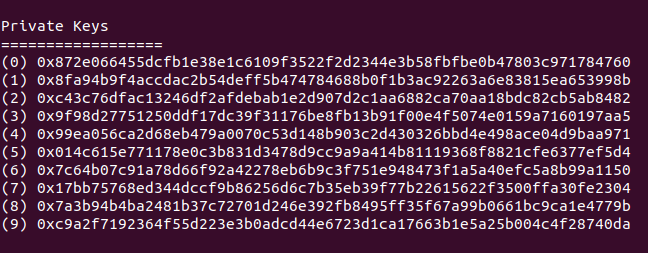
address := "http://localhost:8545" // ganache cli client, err := ethclient.Dial(address) if err !=
nil {  log.Fatal(err) } privateKey, err :=
crypto.HexToECDSA("872e066455dcfb1e38e1c6109f3522f2d2344e3b58fbfbe0b47803c971784760") if err != nil
{  log.Fatal(err) } nonce, err := client.PendingNonceAt(context.Background(),
crypto.PubkeyToAddress(privateKey.PublicKey)) if err != nil {  log.Fatal(err) } gasPrice, err :=
client.SuggestGasPrice(context.Background()) if err != nil {  log.Fatal(err) }
fmt.Println("gasPrice: ", gasPrice) chainID, err := client.ChainID(context.Background())
fmt.Println("networkID :", chainID) auth, err := bind.NewKeyedTransactorWithChainID(privateKey,
chainID) if err != nil {  fmt.Println(err) } auth.Nonce = big.NewInt(int64(nonce)) auth.Value =
big.NewInt(0)      // in wei auth.GasLimit = uint64(300000) // in units auth.GasPrice = gasPrice
txAddress, tx, instance, err := contracts.DeployLottery(auth, client) if err != nil {
fmt.Println("DeployLottery")  log.Fatal(err.Error()) } fmt.Println(instance, address, tx, instance)
fmt.Println(txAddress.Hex()) // 0x147B8eb97fD247D06C4006D269c90C1908Fb5D54
fmt.Println(tx.Hash().Hex())fmt.Println(txAddress.Hex())
fmt.Println(tx.Hash().Hex())0xf6e2551d2AFaFBA200D3803aE6a72B515Fa9f8250x81ea1d8c480a316f5721edf31a3c1f39f3827b5cc75e9b6fcad928c3e261dd08Transaction: 0x81ea1d8c480a316f5721edf31a3c1f39f3827b5cc75e9b6fcad928c3e261dd08 Contract created:
0xf6e2551d2afafba200d3803ae6a72b515fa9f825 Gas usage: 300000 Block number: 1 Block time: Tue Dec
19 2023 14:10:57 Runtime error: code size to deposit exceeds maximum code sizeLoading a Smart Contract
Once you’ve compiled your smart contract’s ABI to a Go package using the abigen tool, the next step is to call the "New" method, which is in the format New<ContractName>, so in our example if you recall it's going to be NewStore. This initializer method takes in the address of the smart contract and returns a contract instance that you can start interact with it.
Transaction: 0x25b79f942ebccfae067bb94a0e76282e7c1c2db825e5cbee18da1bb487596e06address := "http://localhost:8545" // ganache cli client, err := ethclient.Dial(address) if err !=
nil { log.Fatal(err) } contractAddress :=
common.HexToAddress("0x25b79f942ebccfae067bb94a0e76282e7c1c2db825e5cbee18da1bb487596e06") instance,
err := contracts.NewLottery(contractAddress, client) if err != nil { log.Fatal(err) }Writing to a Smart Contract
Contract transaction:
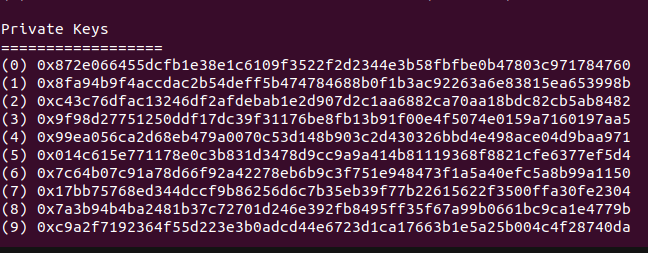
Transaction: 0x25b79f942ebccfae067bb94a0e76282e7c1c2db825e5cbee18da1bb487596e06Use privates keys in ganache:
address := "http://localhost:8545" // ganache cli client, err := ethclient.Dial(address) if err !=
nil {  log.Fatal(err) } privateKey, err :=
crypto.HexToECDSA("872e066455dcfb1e38e1c6109f3522f2d2344e3b58fbfbe0b47803c971784760") if err != nil
{  log.Fatal(err) } publicKey := privateKey.Public() publicKeyECDSA, ok :=
publicKey.(*ecdsa.PublicKey) if !ok {  log.Fatal("error casting public key to ECDSA") } fromAddress
:= crypto.PubkeyToAddress(*publicKeyECDSA) nonce, err := client.PendingNonceAt(context.Background(),
fromAddress) if err != nil {  log.Fatal(err) } gasPrice, err :=
client.SuggestGasPrice(context.Background()) if err != nil {  log.Fatal(err) } fmt.Println(gasPrice)
chainID, err := client.ChainID(context.Background()) if err != nil {  log.Fatal(err) }
fmt.Println("networkID :", chainID) auth, err := bind.NewKeyedTransactorWithChainID(privateKey,
chainID) if err != nil {  log.Fatal(err) } auth.Nonce = big.NewInt(int64(nonce)) auth.Value =
big.NewInt(0)      // in wei auth.GasLimit = uint64(3000000) // in units auth.GasPrice = gasPrice
contractAddress :=
common.HexToAddress("0x25b79f942ebccfae067bb94a0e76282e7c1c2db825e5cbee18da1bb487596e06") balance,
err := client.BalanceAt(context.Background(), contractAddress, nil) if err != nil {  log.Fatal(err)
} fmt.Println("balance : ", balance) myAddress :=
common.HexToAddress("0x6e06Dc176Ee86DCb3C428a42Ed9AAeD9c0Eb1935") myBalance, err :=
client.BalanceAt(context.Background(), myAddress, nil) if err != nil {  log.Fatal(err) }
fmt.Println("myBalance : ", myBalance) instance, err := contracts.NewLottery(contractAddress,
client) if err != nil {  fmt.Println("NewLottery")  log.Fatal(err) } tx, err := instance.Enter(auth)
if err != nil { fmt.Println("Enter") log.Fatal(err) }go run *.go2000000000networkID : 1337balance : 0myBalance : 999997000000000000000Transaction: 0xa531650fe246012062408f17e4d56ace4622a4680ac799279262c60666201fe5 Gas usage: 21064
Block number: 6 Block time: Tue Dec 19 2023 15:18:07 GMT