Topic Modeling with Word2vec and k-means and ChatGPT 3.5
In this article I am going to convert words into vectors and use it in find topics for groups of tickets.
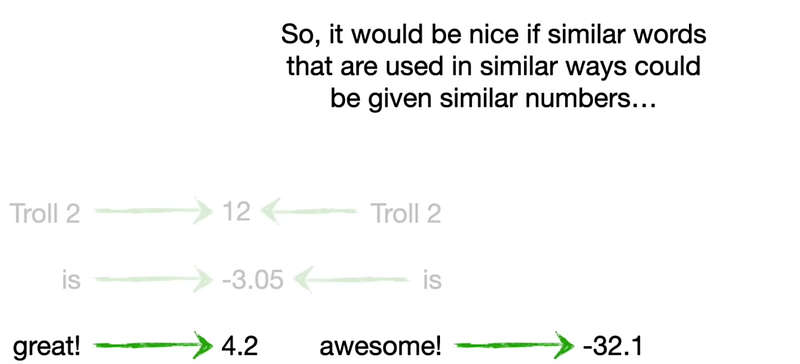
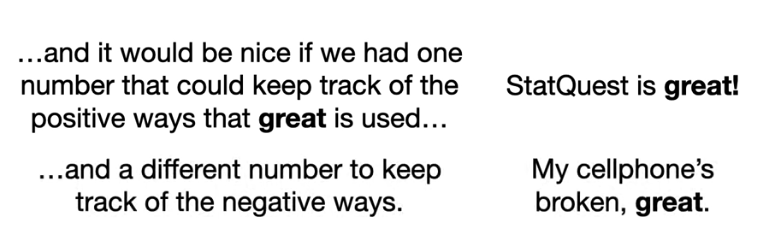
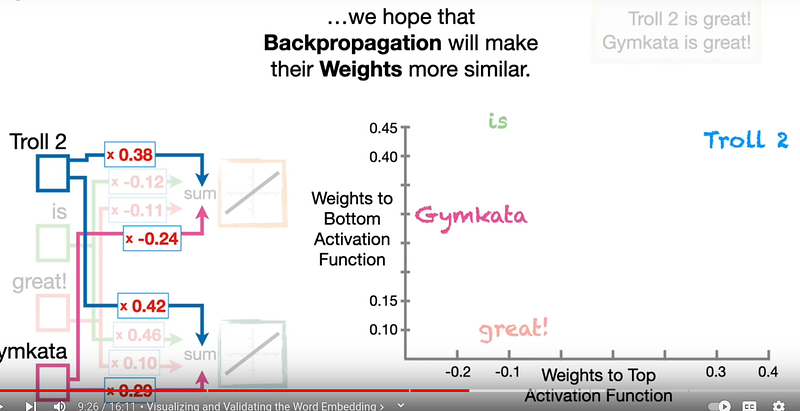
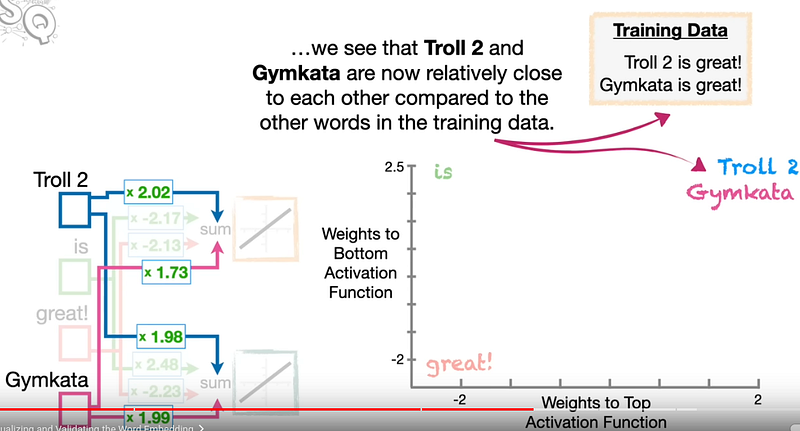
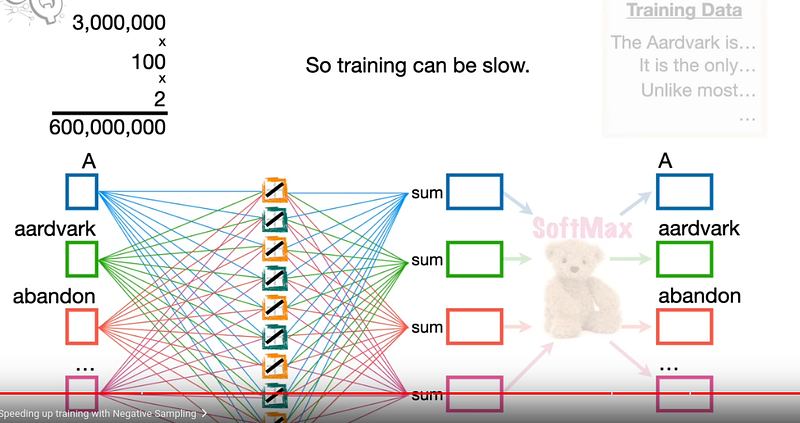
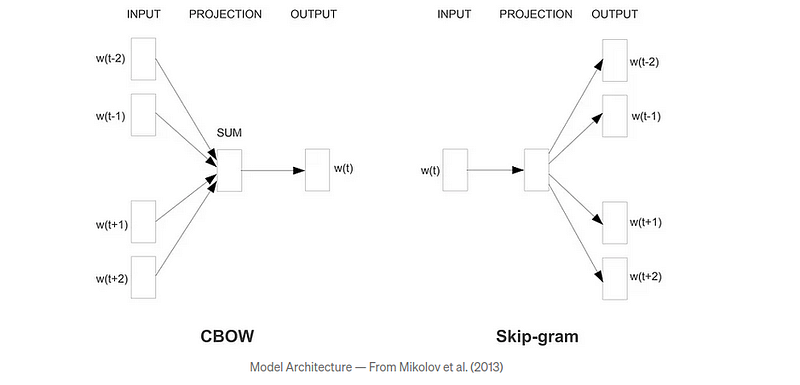
Word2Vec was proposed in 2013 to learn word embeddings by using neural networks from huge data sets with billlions of words. There are 2 approaches (cbow and sg) introduced in the paper to learn word embeddings. We will also use window size as 2 for the illustrations.
Model Architecture
The neural network models that are used for the approaches above are illustrated in the picture below. They are simple neural networks with one layer without a non-linear activation, and then a softmax layer for the outputs.
Gensim
Python framework for fast Vector Space Modelling
Gensim is a Python library for topic modelling, document indexing and similarity retrieval with large corpora. Target audience is the natural language processing (NLP) and information retrieval (IR) community.
How to Cluster Documents Using Word2Vec and K-means
How to Cluster Documents
You can think of the process of clustering documents in three steps:
- Cleaning and tokenizing data usually involves lowercasing text, removing non-alphanumeric characters, or stemming words.
- Generating vector representations of the documents concerns the mapping of documents from words into numerical vectors — some common ways of doing this include using bag-of-words models or word embeddings.
- Applying a clustering algorithm on the document vectors requires selecting and applying a clustering algorithm to find the best possible groups using the document vectors. Some frequently used algorithms include K-means, DBSCAN, or Hierarchical Clustering.
Clean and Tokenize Data
After you import the required libraries, you need to read and preprocess the data you’ll use in your clustering algorithm. The preprocessing consists of cleaning and tokenizing the data. To do that, copy the following function in a new cell in your notebook:
How the Python Lambda Function Works — Explained with Examples
lambda argument(s) : expressiondef f(x): return x * 2f(3)>> 6import pandas as pddf = pd.DataFrame(
{"name": ["IBRAHIM", "SEGUN", "YUSUF", "DARE", "BOLA", "SOKUNBI"], "score": [50, 32, 45, 45,
23, 45]
})df["lower_name"] = df["name"].apply(lambda x: x.lower())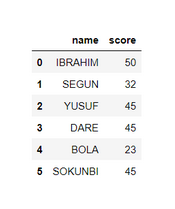
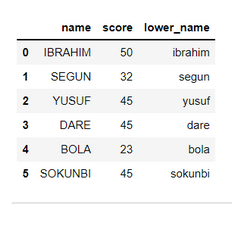
Step1. Clean and tokenize your data
import os
import random
import re
import string
import nltk
import numpy as np
import pandas as pd
from gensim.models
import Word2Vec
from nltk
import word_tokenize
from nltk.corpus
import stopwords
from sklearn.cluster
import MiniBatchKMeans
from sklearn.metrics
import silhouette_samples, silhouette_scorenltk.download("stopwords")nltk.download("punkt")SEED =
42random.seed(SEED)os.environ["PYTHONHASHSEED"] = str(SEED)np.random.seed(SEED)def clean_text(text, tokenizer, stopwords):
"""Pre-process text and generate tokens
Args: text: Text to tokenize.
Returns: Tokenized text.
"""
text = str(text).lower() # Lowercase words
text = re.sub(r"\[(.*?)\]", "", text) # Remove [+XYZ chars] in content
text = re.sub(r"\s+", " ", text) # Remove multiple spaces in content
text = re.sub(r"\w+…|…", "", text) # Remove ellipsis (and last word)
text = re.sub(r"(?<=\w)-(?=\w)", " ", text) # Replace dash between words
text = re.sub( f"[{re.escape(string.punctuation)}]", "", text
) # Remove punctuation
tokens = tokenizer(text) # Get tokens from text
tokens = [t for t in tokens if not t in stopwords] # Remove stopwords
tokens = ["" if t.isdigit() else t for t in tokens] # Remove digits
tokens = [t for t in tokens if len(t) > 1] # Remove short tokens
return tokenscustom_stopwords = set(stopwords.words('english') + list(string.punctuation) + list(["I" ,
"--"]))df_raw = pd.read_csv("data.csv")df = df_raw[['ID','Summarize']].copy()df["Tokens"] =
df["Summarize"].map(lambda x: clean_text(x, word_tokenize, custom_stopwords))# Remove duplicated
after preprocessing_, idx = np.unique(df["Tokens"], return_index=True)df = df.iloc[idx, :]docs =
df["Summarize"].valuestokenized_docs = df["Tokens"].valuespStep2. Convert words to vector
model = Word2Vec(sentences=tokenized_docs, vector_size=100, workers=1, seed=SEED)Note: In many cases, you might want to use a pre-trained model instead of training one yourself. If that’s the case, gensim provides you with an easy way to access some of the most popular pre-trained word embeddings.
You can load a pre-trained Word2Vec model as follows:
wv = api.load('word2vec-google-news-300')One last thing, if you’re following this tutorial and decide to use a pre-trained model, you’ll need to replace model.wv by wv in the code snippets from here on. Otherwise, you'll get an error.
You’ve trained your Word2Vec model
model.wv.most_similar("trump")[('trumps', 0.988541841506958), ('president', 0.9746493697166443), ('donald', 0.9274922013282776),
('ivanka', 0.9203903079032898), ('impeachment', 0.9195784330368042), ('pences', 0.9152231812477112),
('avlon', 0.9148306846618652), ('biden', 0.9146010279655457), ('breitbart', 0.9144087433815002),
('vice', 0.9067237973213196)]Generate vectors for list of documents using a Word Embedding
def vectorize(list_of_docs, model):
    """Generate vectors for list of documents using a Word Embedding
    Args:        list_of_docs: List of documents        model: Gensim's Word Embedding
    Returns:        List of document vectors
    """
    features = []
    for tokens in list_of_docs:        zero_vector = np.zeros(model.vector_size)        vectors = []
    for token in tokens:            if token in model.wv:                try:
    vectors.append(model.wv[token])                except KeyError:                    continue
    if vectors:            vectors = np.asarray(vectors)            avg_vec = vectors.mean(axis=0)
    features.append(avg_vec)        else:            features.append(zero_vector)
    return features
    vectorized_docs = vectorize(tokenized_docs, model=model)len(vectorized_docs),
len(vectorized_docs[0])import csvwith open('vectors.csv', 'w', newline='') as file:
# Step 4: Using csv.writer to write the list to the CSV file
writer = csv.writer(file)
writer.writerow(vectorized_docs) # Use writerow for single listCluster Documents Using K-means
from sklearn.cluster
import KMeansfor seed in range(5):
    kmeans = KMeans(        n_clusters=10,        max_iter=100,        n_init=1,
    random_state=seed,
    ).fit(X)
    cluster_ids, cluster_sizes = np.unique(kmeans.labels_, return_counts=True)
    print(f"Number of elements assigned to each cluster: {cluster_sizes}")
Using ChatGPT 3.5 for match best topics
# groupsgroups = cluster.groupby('Cluster', as_index=False).aggregate('count')
groups
=groups[['Cluster' ,
'Index']]groups.sort_values('Index')
groups.to_csv('sort_label.csv',index=True)
selected_cluster =
groups.query('Index < 30')# open AIload_dotenv()
key = os.getenv('OPENAI_API_KEY')
client =
OpenAI(api_key=key)
def group_meaning_gpt(questions):    messages = [        {"role": "user",
"content":
f'What do the following customer questions have in common? .\n\nCustomer questions:\n"""\n{questions}\n"""\n\nTheme:'}    ]    response = client.chat.completions.create(        model="gpt-3.5-turbo-1106",        messages=messages,        temperature=0,        max_tokens=64,        top_p=1,        frequency_penalty=0,        presence_penalty=0)    return response.choices[0].message.content.replace("\n", "")
questions = ""
for index_cluster in selected_cluster['Cluster']:    batches = cluster[cluster['Cluster'] == index_cluster]    for batch in batches['Text']:        if questions != "":            questions = questions + "\n\n" + batch        else :            questions = batch    anwser = group_meaning_gpt(questions)    new_batcher = batches.copy()    new_batcher.loc[ : , 'Label']  = anwser    new_batcher.to_csv('cluster_'+str(anwser)+'.csv',index=True)    break
Stackademic
Thank you for reading until the end. Before you go: