Essential VS Code Extensions for Go Developers: My Daily Toolkit
Introduction
As a Go developer, having the right set of Visual Studio Code extensions can dramatically boost your productivity, code quality, and overall development experience. Over time, I’ve curated a list of must-have extensions that streamline everything — from writing and formatting Go code to debugging, managing Git workflows, working with Protocol Buffers, and even catching bugs before they reach your pull requests. Below is the list of extensions I rely on daily, along with a brief overview of why each one earns a spot in my workflow. Whether you’re just starting with Go or you’re a seasoned Gopher, these tools will help you code faster, smarter, and with greater confidence.
My Go Development VS Code Extensions (Short List):
- Go — Official Go extension (IntelliSense, debugging, testing,
goplsintegration). - GitLens — Supercharged Git history, blame, and code authorship insights.
- Git Graph — Visual Git history and branch management.
- Git History — Detailed log, file/line history, and commit comparisons.
- Buf — Enhanced Protocol Buffers editing (formatting, linting, navigation).
- Code Runner — Quick execution of Go files and snippets.
- CodeRabbit — AI-powered instant code reviews in the editor.
- Docker DX — Smarter Dockerfile and Compose editing with vulnerability checks.
- Error Lens — Inline display of errors and warnings for better visibility.
- GitHub Copilot — AI pair programmer for code suggestions and explanations.
- Postfix templates for Golang — Faster coding with postfix completions (e.g.,
.err,.if). - Prettier — Consistent formatting for JSON, Markdown, and other non-Go files.
- Material Icon Theme — Clean, modern file icons.
- Todo Tree — Highlights and organizes
TODO/FIXMEcomments. - Bookmarks — Navigate key code sections quickly.
- Code Spell Checker — Catches typos in comments and strings.
- Database Client — Query and manage databases (PostgreSQL, MySQL, SQLite, etc.).
These extensions — paired with Go-specific settings like formatOnSave and gopls—create a powerful, efficient Go development environment in VS Code.
Go in Visual Studio Code
Using the Go extension for Visual Studio Code, you get features like IntelliSense, code navigation, symbol search, testing, debugging, and many more that will help you in Go development.

You can install the Go extension from the VS Code Marketplace.
Watch “Getting started with VS Code Go” for an explanation of how to build your first Go application using VS Code Go.
This article describes only a subset of the features the Go extension provides. See the extension’s documentation for the full, up-to-date list of supported features.
IntelliSense
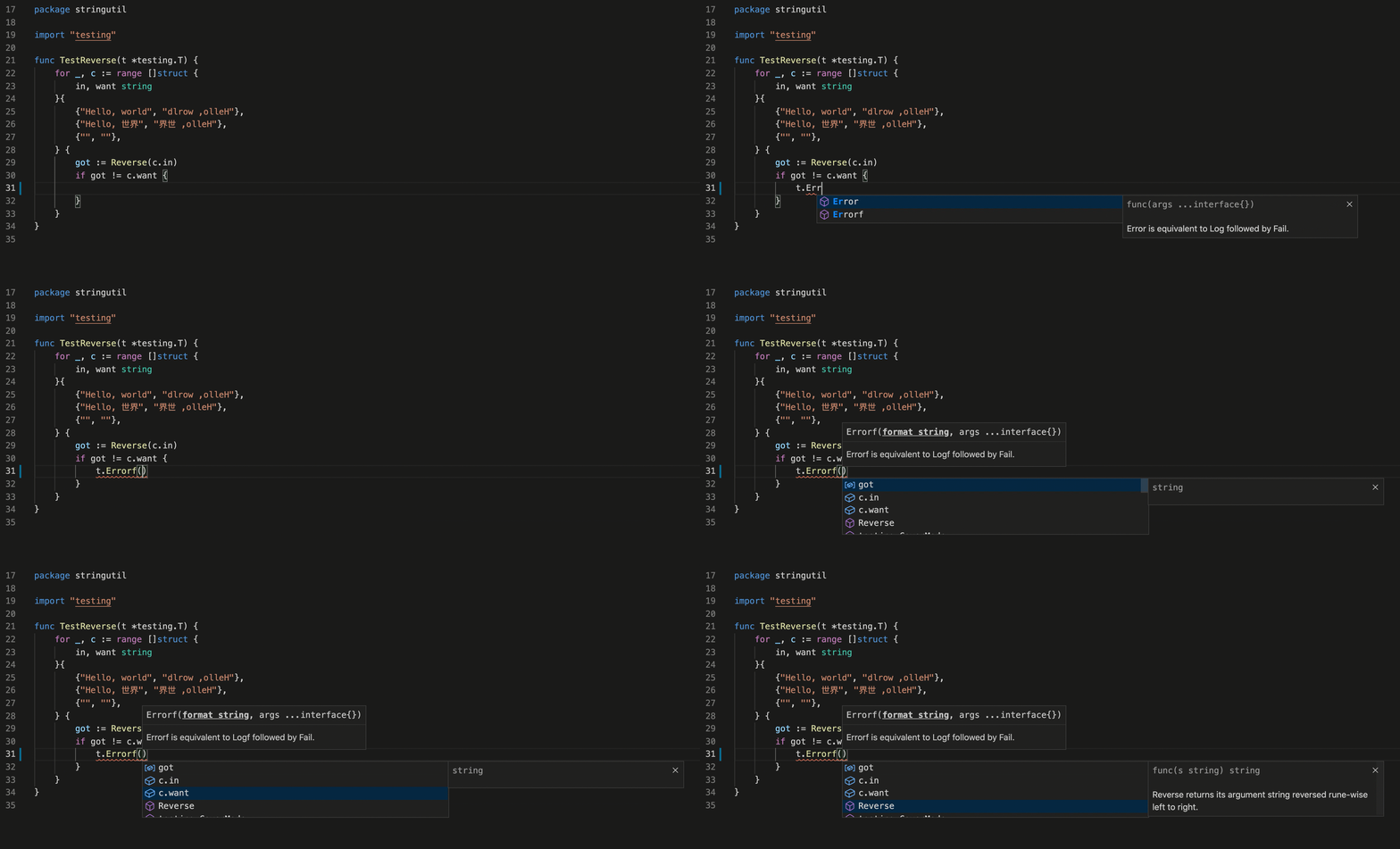
IntelliSense features are provided by the Go language server, gopls, maintained by the Go team. You can configure the behavior of gopls using the gopls settings.
Git Graph extension for Visual Studio Code
View a Git Graph of your repository, and easily perform Git actions from the graph. Configurable to look the way you want!
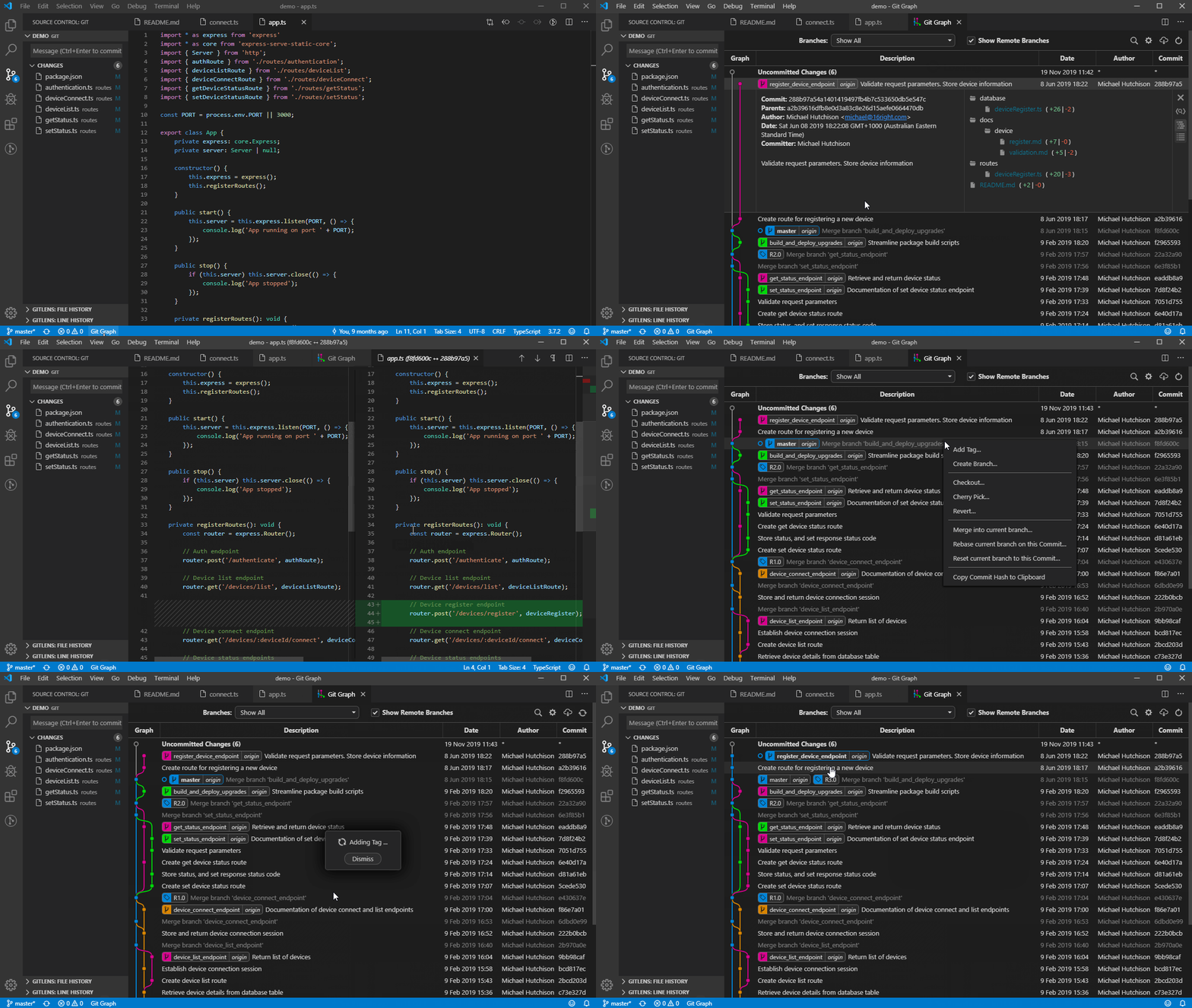
Git History, Search and More (including git log)
- View and search git log along with the graph and details.
- View a previous copy of the file.
- View and search the history
- View the history of one or all branches (git log)
- View the history of a file
- View the history of a line in a file (Git Blame).
- View the history of an author
- Compare:
- Compare branches
- Compare commits
- Compare files across commits
- Miscellaneous features:
- Github avatars
- Cherry-picking commits
- Create Tag
- Create Branch
- Reset commit (soft and hard)
- Reverting commits
- Create branches from a commit
- View commit information in a treeview (snapshot of all changes)
- Merge and rebase
Open the file to view the history, and then Press F1 and select/type “Git: View History”, “Git: View File History” ,or “Git: View Line History”.
Buf for Visual Studio Code
The VS Code Buf extension helps you work with Protocol Buffers files in a much more intuitive way, adding smart syntax highlighting, navigation, formatting, documentation, diagnostic hovers, and integrations with Buf commands.
Features
- Code navigation — Go-to definition and documentation insets for
.protosymbols. - Syntax highlighting — Protobuf-specific color and styling of code.
- Code editing — Formatting via
buf formatand annotations and hovers based onbuf lintandbuf breaking. - Documentation hovers — Documentation for definitions when hovering a reference.
- Buf command support — Execution of
bufCLI commands via the Command Palette.
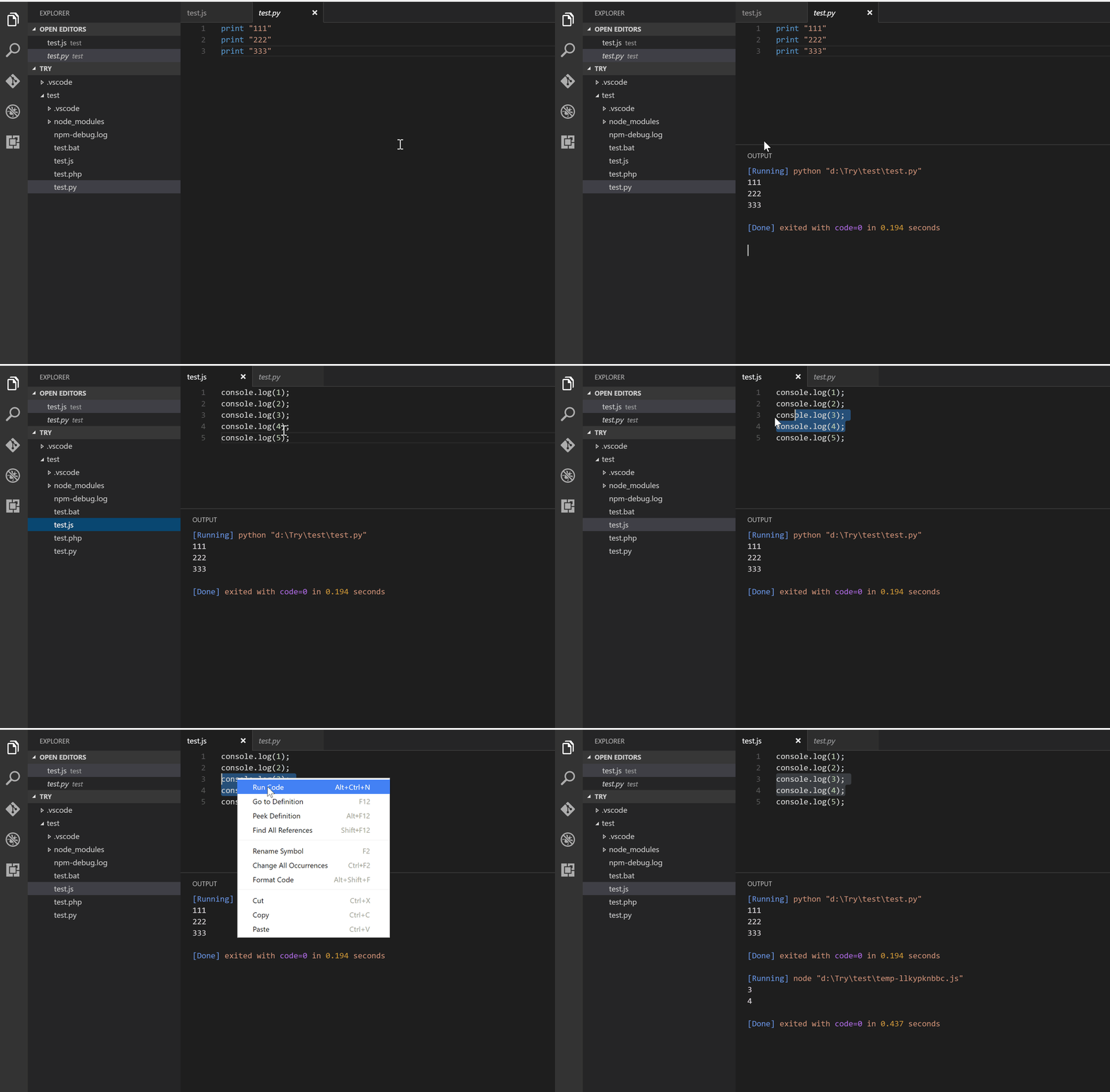
Code Runner
Run code snippet or code file for multiple languages: C, C++, Java, JavaScript, PHP, Python, Perl, Perl 6, Ruby, Go, Lua, Groovy, PowerShell, BAT/CMD, BASH/SH, F# Script, F# (.NET Core), C# Script, C# (.NET Core), VBScript, TypeScript, CoffeeScript, Scala, Swift, Julia, Crystal, OCaml Script, R, AppleScript, Elixir, Visual Basic .NET, Clojure, Haxe, Objective-C, Rust, Racket, Scheme, AutoHotkey, AutoIt, Kotlin, Dart, Free Pascal, Haskell, Nim, D, Lisp, Kit, V, SCSS, Sass, CUDA, Less, Fortran, Ring, Standard ML, Zig, Mojo, Erlang, SPWN, Pkl, Gleam, and custom command
Spelling Checker for Visual Studio Code
A basic spell checker that works well with code and documents.
Functionality
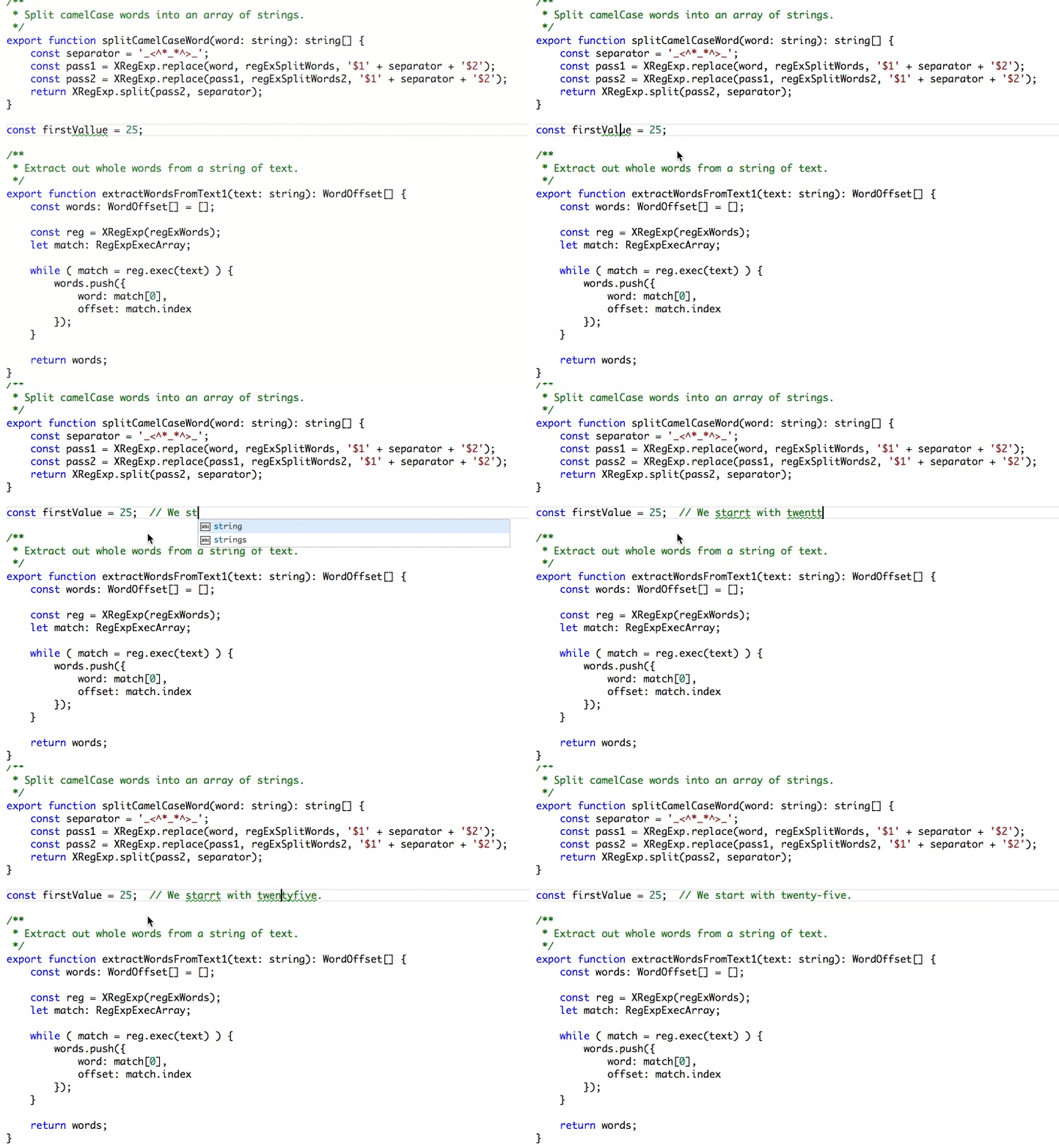
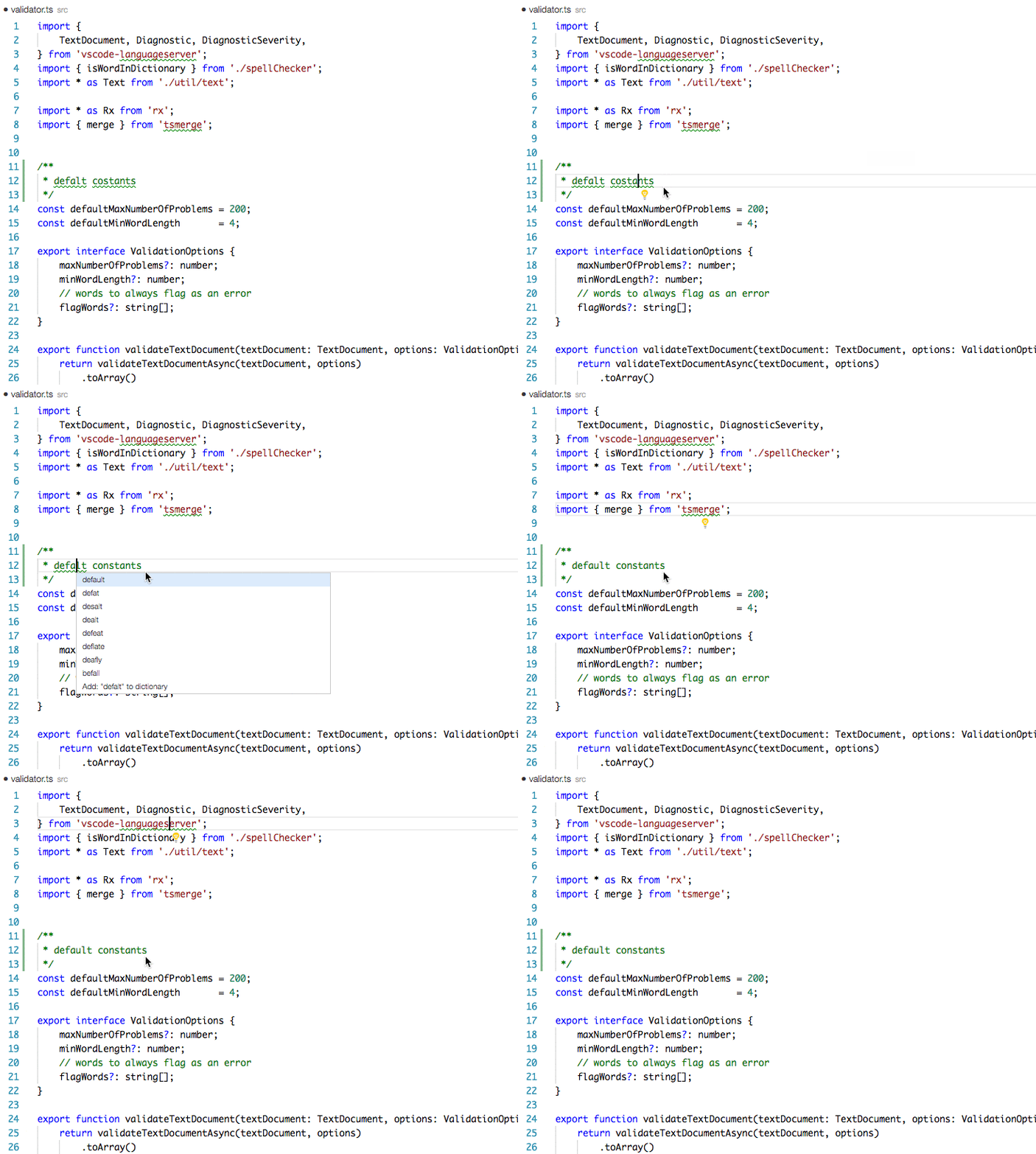
Load a TypeScript, JavaScript, Text, etc. file. Words not in the dictionary files will have a squiggly underline.
Example
Suggestions
CodeRabbit: AI code reviews in your editor
AI coding tools let you write code 10x faster. But reviews still happen days later in PRs. CodeRabbit reviews your code instantly in VS Code, Cursor, and Windsurf — catching bugs before you even commit.
✨ Why CodeRabbit
- Reviews in the IDE: No waiting for PR reviews. Get feedback on uncommitted changes as you code.
- Works with your AI agent: One-click hand-off to Claude Code, Copilot, Cursor, or any coding agent to apply fixes.
- Senior dev quality: Catches race conditions, security holes, and architectural issues — not just syntax errors.
- Fix with AI: Review with CodeRabbit and pass to your coding agent in the same IDE, in one single click.
- Full context with git integration: Connect your repository to access 40+ contextual sources, linters, security checks, and sandbox testing.
- Language agnostic: Works with every programming language your team uses.
Container Tools for Visual Studio Code
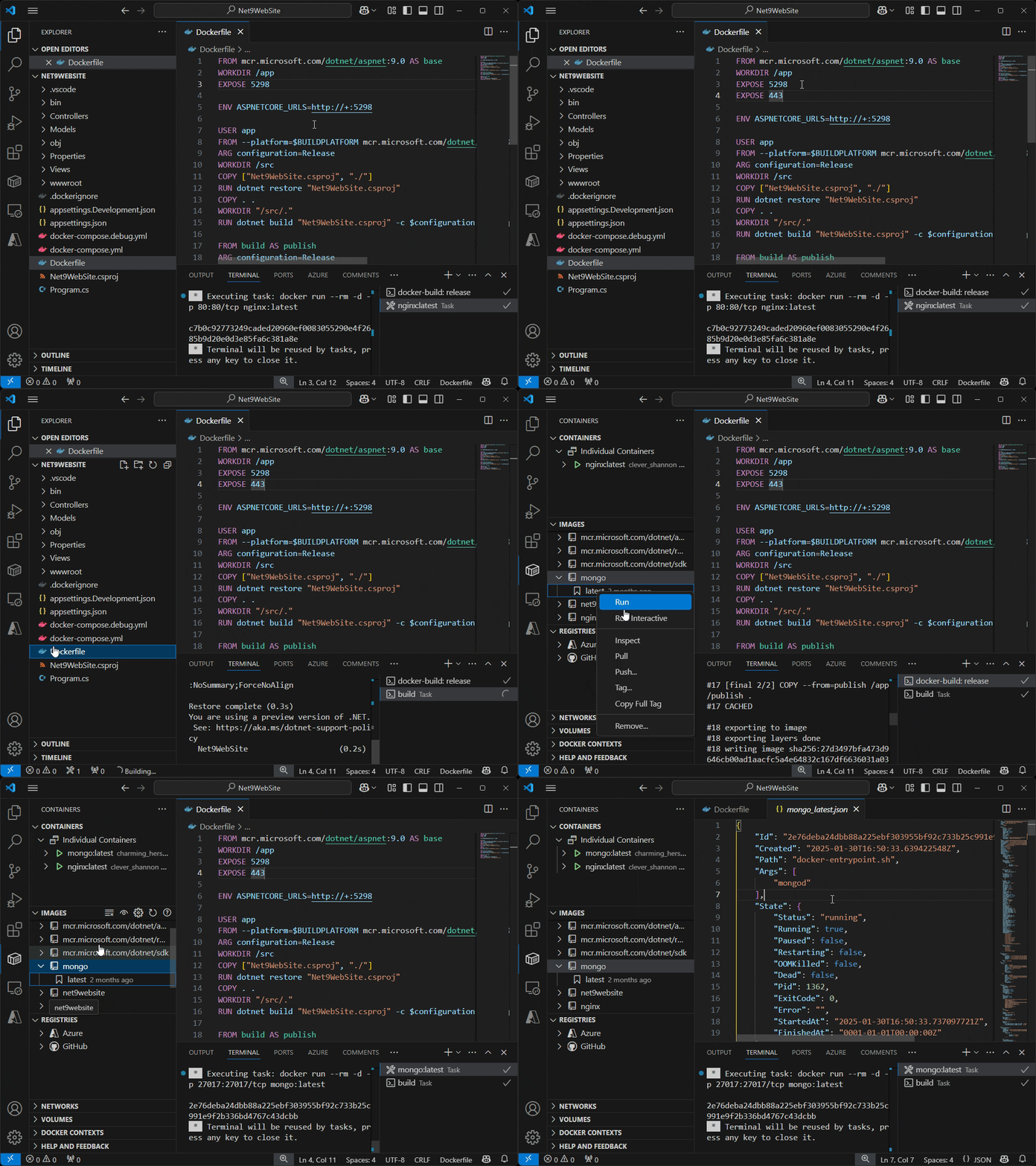
The Container Tools extension makes it easy to build, manage, and deploy containerized applications from Visual Studio Code. It also provides one-click debugging of Node.js, Python, and .NET inside a container.
Database Client JDBC
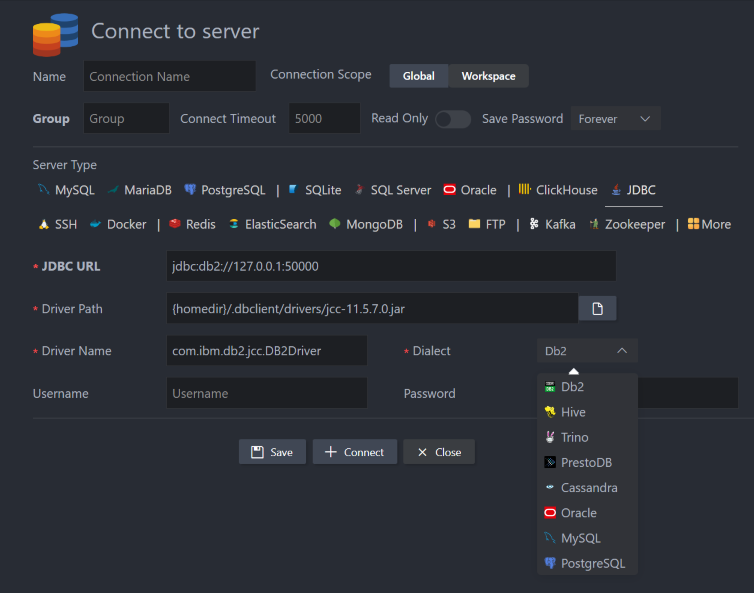
This extension is a component of database-client, used to connect to the database through JDBC, such as IBM Db2, Hive, Presto, and Cassandra.
Bash beautify
A simple extension that just works for shell script formatting based on Paul Lutus — Bash Script Beautifier. The underlying script doesn’t do any syntax processing, hence it’s simple.
It’ll work with the default format keyboard binding when you edit a .sh file.
Bookmarks
It helps you to navigate your code, moving between important positions easily and quickly. No more need to search for code. It also supports a set of selection commands, which allow you to select bookmarked lines and regions between bookmarked lines. It’s really useful for log file analysis.
Here are some of the features that Bookmarks provides:
- Mark/unmark positions in your code
- Mark positions in your code and give it a name
- Jump forward and backward between bookmarks
- Icons in the gutter and overview ruler
- See a list of all Bookmarks in one file and project
- Select lines and regions with bookmarks
- A dedicated Side Bar
Docker DX
The Docker DX (Developer Experience) Visual Studio Code extension enhances your Visual Studio Code experience with Docker-related development by adding rich editing features and vulnerability scanning.
Feature overview
Editing Dockerfiles
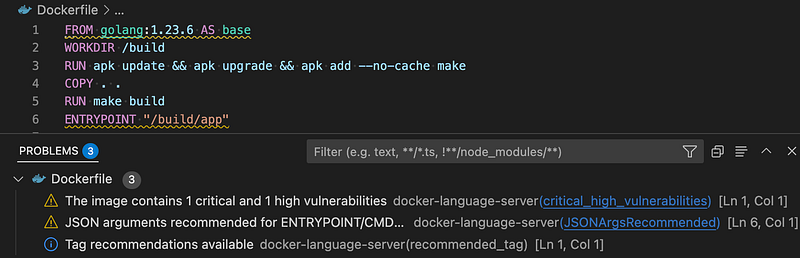
You can get linting checks from BuildKit and BuildX when editing your Dockerfiles.
Any references to images with vulnerabilities are also flagged. This is an experimental feature and may change in the future. Refer to our FAQ.md to see how you can opt in or out of these warnings.
Errors are visible directly in your editor or you can look at them by opening up the Problems panel (Ctrl+Shift+M on Windows/Linux, Shift+Command+M on Mac).
Editing Compose files
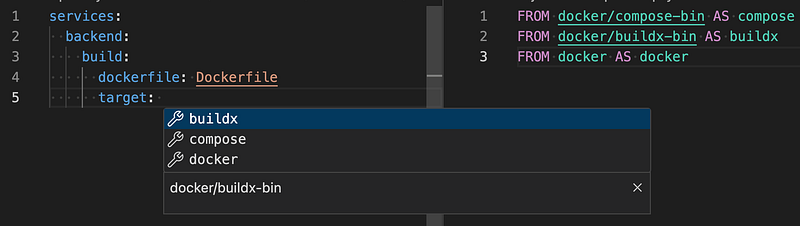
Code completion support in the Docker DX extension goes beyond just the Compose schema. The Docker DX extension understands the contextual link between your Compose file and your Dockerfile.
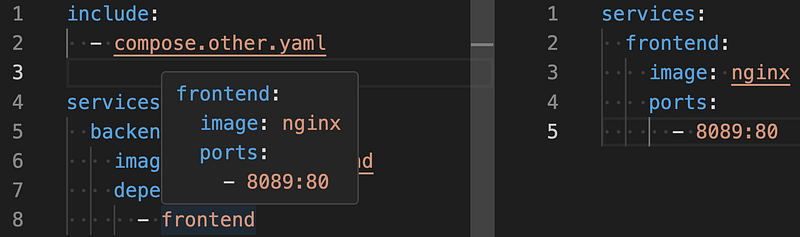
Compose files can get pretty big and complicated when you start including other files. Docker DX lets you hover over a reference to quickly see how something is defined.
Editing Bake files
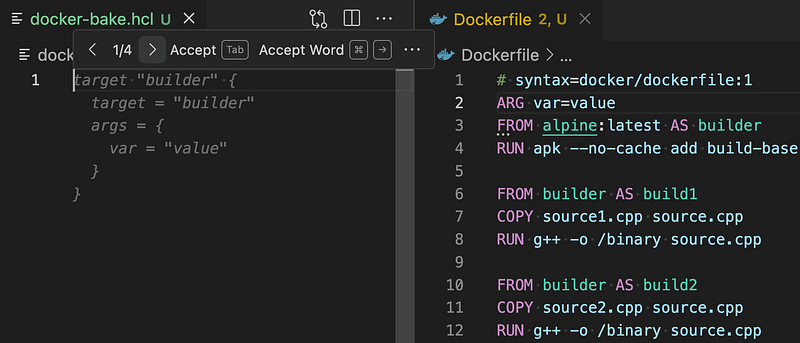
You can get code completion when editing your docker-bake.hcl file. You are also able to hover over variables and navigate around the file by jumping to a variable's definition or jumping to the build stage within a Dockerfile.
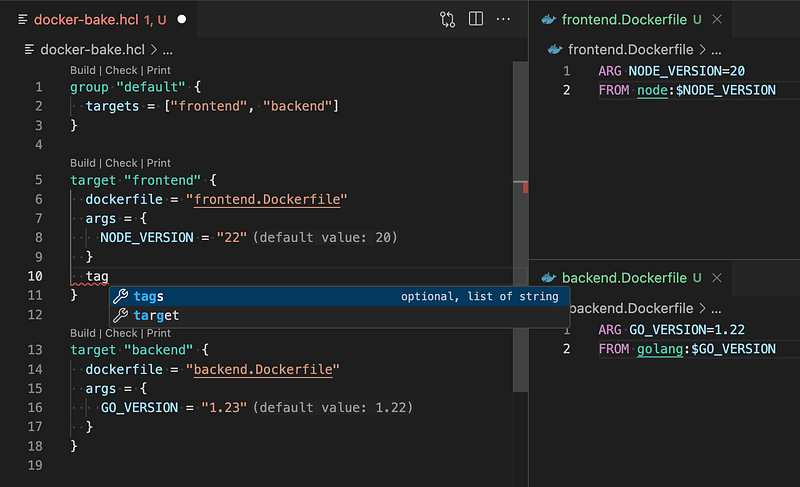
The extension provides inline suggestions to generate a Bake target to correspond to each build stage in your Dockerfile.
Error Lens
ErrorLens turbo-charges language diagnostic features by making diagnostics stand out more prominently, highlighting the entire line wherever a diagnostic is generated by the language, and also prints the message inline.

Features
- Highlight lines containing diagnostics
- Append the diagnostic as text to the end of the line
- Show icons in gutter
- Show message in status bar
GitHub Copilot in VS Code
GitHub Copilot is an AI-powered coding assistant integrated into Visual Studio Code. It provides code suggestions, explanations, and automated implementations based on natural language prompts and existing code context. Copilot has been trained on public code repositories and can assist with most programming languages and frameworks.
GitLens — Supercharge Git in VS Code
Interactive Code History
Understanding who made changes, when, and why can be challenging. GitLens simplifies this with tools like the Commit Graph, Inspect, Inline Blame, and Hovers, giving you clear context and insights. Quickly explore your repository’s history with intuitive visuals and actionable tools.
Blame, CodeLens, and Hovers
Gain a deeper understanding of how code changed and by whom through in-editor code annotations and rich hovers.
Inline and Status Bar Blame
Provides historical context about line changes through unobtrusive blame annotation at the end of the current line and on the status bar.
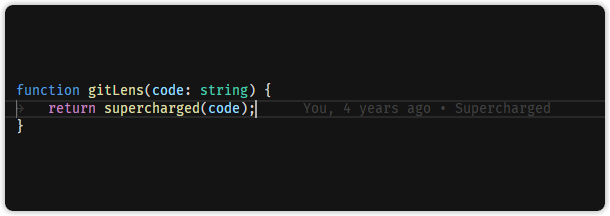
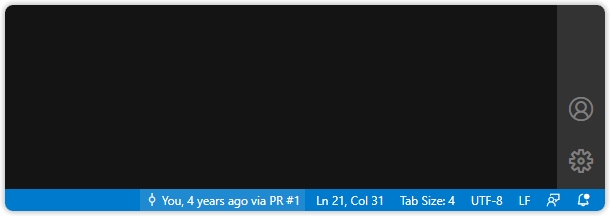
💡 Use the Toggle Line Blame and Toggle Git CodeLens commands from the Command Palette to turn the annotations on and off.
Git CodeLens
Adds contextual and actionable authorship information at the top of each file and at the beginning of each block of code.
- Recent Change — author and date of the most recent commit for the file or code block
- Authors — number of authors of the file or code block and the most prominent author (if there is more than one)
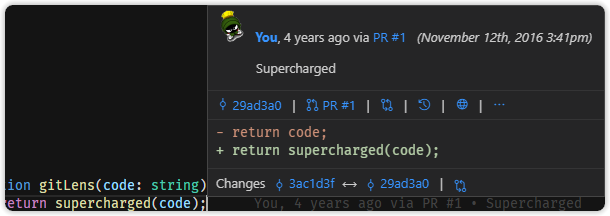
Rich Hovers
Hover over blame annotations to reveal rich details and actions.
File Annotations
Use on-demand whole file annotations to see authorship, recent changes, and a heatmap. Annotations are rendered as visual indicators directly in the editor.
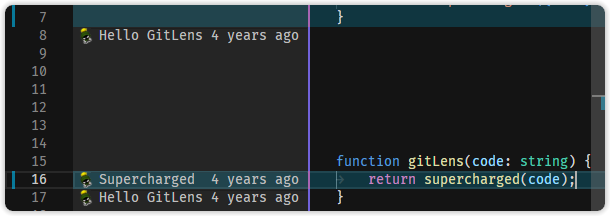
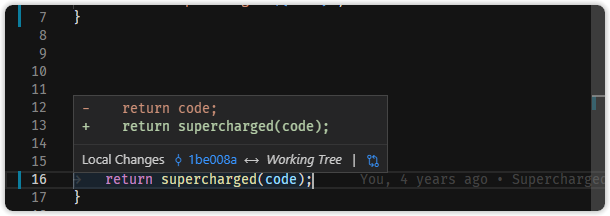
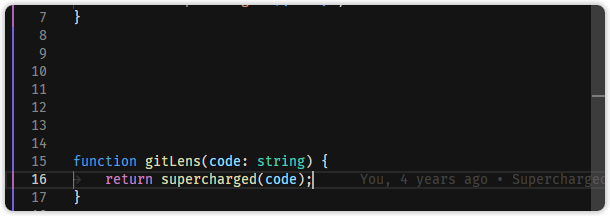
💡 On an active file, use the Toggle File Blame, Toggle File Changes, and Toggle File Heatmap commands from the Command Palette to turn the annotations on and off.
Postfix templates for Golang
Forked from vscode-postfix-go

Editing JSON with Visual Studio Code
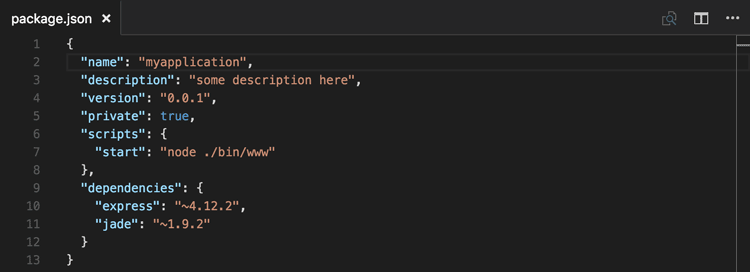
JSON is a data format that is common in configuration files like package.json or project.json. We also use it extensively in Visual Studio Code for our configuration files. When opening a file that ends with .json, VS Code provides features to make it simpler to write or modify the file's content.
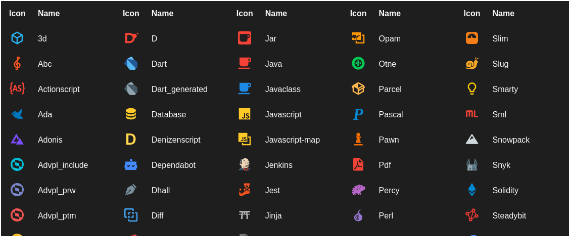
Material Icon Theme
Add lots of icons to Vscode Idea.
Prettier Formatter for Visual Studio Code
Prettier is an opinionated code formatter. It enforces a consistent style by parsing your code and re-printing it with its own rules that take the maximum line length into account, wrapping code when necessary.
JavaScript · TypeScript · Flow · JSX · JSON
CSS · SCSS · Less
HTML · Vue · Angular HANDLEBARS · Ember · Glimmer
GraphQL · Markdown · YAML
Windsurf Plugin: Free AI-powered code acceleration toolkit
What is Windsurf?
Windsurf is the modern coding superpower, a free code acceleration toolkit built on cutting edge AI technology. The Windsurf VSCode Plugin provides autocomplete, chat, and search capabilities in 70+ languages, with lightning fast speeds and state-of-the-art suggestion quality.
With Windsurf, you get:
- Unlimited single and multi-line code completions forever
- IDE-integrated chat: no need to leave VSCode to ChatGPT, and use convenient suggestions such as Refactor and Explain
- Support for 70+ programming languages: Javascript, Python, Typescript, PHP, Go, Java, C, C++, Rust, Ruby, and more.
- Support through our Discord Community.
Todo Tree
This extension quickly searches (using ripgrep) your workspace for comment tags like TODO and FIXME, and displays them in a tree view in the activity bar. The view can be dragged out of the activity bar into the explorer pane (or anywhere else you would prefer it to be).
Clicking a TODO within the tree will open the file and put the cursor on the line containing the TODO.
Database Client
Database Management for MariaDB/SQLite, supports executing SQL.
Database client for Visual Studio Code, supports manager MySQL/MariaDB, PostgreSQL, SQLite, Redis, ClickHouse, Kafka, MongoDB, Snowflake, and ElasticSearch, and works as an SSH client, boost your maximum productivity!
Setting.json configuration
by pressing the keys shift+ctrl+p simultaneously.
{  "http.proxy": "http://127.0.0.1:2080",  "workbench.iconTheme": "material-icon-theme",
"workbench.editor.enablePreview": false,{
"files.autoSave": "afterDelay",
"files.autoSaveDelay": 10000
}{
"editor.defaultFormatter": "esbenp.prettier-vscode",
"editor.largeFileOptimizations": false,
"editor.minimap.showSlider": "always",
"editor.minimap.size": "fit"
}{
"[javascript]": {
"editor.defaultFormatter": "esbenp.prettier-vscode"
},
"[json]": {
"editor.defaultFormatter": "esbenp.prettier-vscode"
},
"[go]": {
"editor.defaultFormatter": "golang.go",
"editor.formatOnSave": true
}
}{
"git.autofetch": true
}{
"gitlens.ai.model": "vscode",
"gitlens.ai.vscode.model": "claude-3-5-sonnet-20240620",
"go.toolsManagement.autoUpdate": true
}{
"database-client.autoSync": true
}{
"security.workspace.trust.untrustedFiles": "open"
}"explorer.confirmDelete": false, "settingsSync.ignoredExtensions": []}Shortcuts
- Ctrl + K + Ctrl + 0: fold all levels (namespace, class, method, and block)
- Ctrl + K + Ctrl + 1: namespace / @Component(For Angular)
- Ctrl + K + Ctrl + 2: class / methods
- Ctrl + K + Ctrl + 3: methods / blocks
- Ctrl + K + Ctrl + 4: blocks / inner blocks
- Ctrl + K + Ctrl + [ or Ctrl + k + ]: current cursor block
- Ctrl + K + Ctrl + j: UnFold
It’s called “Folding” in VS Code. From docs:
Conclusion
With the right combination of VS Code extensions, Go development becomes faster, cleaner, and more enjoyable. The tools listed above cover every aspect of my workflow — from intelligent code completion and real-time linting to Git management, container support, AI-assisted reviews, and database access. While the official Go extension forms the core of the experience, the supporting extensions fill in the gaps to create a truly integrated and productive environment.
Feel free to pick and choose based on your needs, but even adopting a few of these can significantly level up your daily coding. Happy Go programming! 🚀