How do you write tests in Nestjs?
Writing Tests in NestJS
Testing is a crucial aspect of software development, and NestJS provides robust support for testing through its integration with Jest, a powerful JavaScript testing framework. Writing tests in NestJS helps ensure the correctness and reliability of your application’s components, from simple functions to complex services.
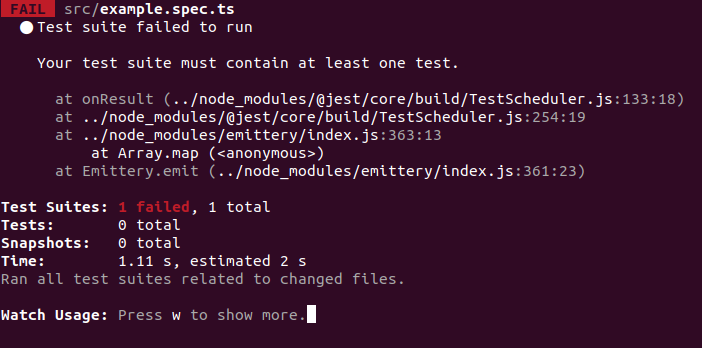
The testing process in NestJS typically begins with setting up the test environment. Developers can use commands like yarn test to execute tests or yarn test --watch to run tests continuously as changes are made. This allows for immediate feedback during the development process.
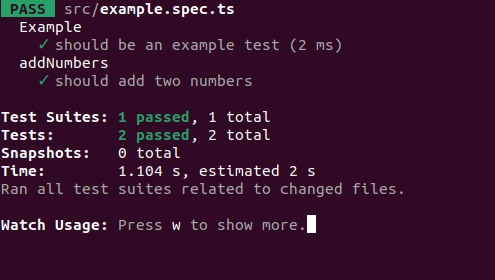
NestJS tests are structured using describe blocks to group related tests and it blocks to define individual test cases. This organization helps in creating clear and maintainable test suites. Developers can write straightforward assertions using Jest's function for simple unit tests, such as testing a basic function like adding two numbers.
When testing more complex components like services, NestJS encourages mocking. By creating mock objects for dependencies such as repositories, developers can isolate the component under test and focus on its specific behavior. This approach is particularly useful for testing service methods that interact with databases or external services.
For instance, when testing a TasksService, developers can create a mock TaskRepository and define its behavior for different scenarios. This allows for testing various outcomes without relying on actual database interactions. Tests can be written for different service methods, such as retrieving all tasks or getting a task by ID, ensuring that each part of the service functions as expected.
While mocking is a popular and efficient approach, it’s important to note that it has limitations. Mocked objects may not always accurately reflect the behavior of real dependencies. Therefore, some developers advocate for testing against a real database in certain scenarios. This approach can provide more confidence in the actual interactions between the application and its data store, albeit at the cost of increased complexity and potentially slower test execution.
In conclusion, writing tests in NestJS is a multifaceted process that involves understanding Jest, creating appropriate test structures, and deciding between mocking and real database testing based on the application's specific needs. By implementing a comprehensive testing strategy, developers can significantly improve the quality and reliability of their NestJS applications.
Execute tests
yarn testRun the test for every change
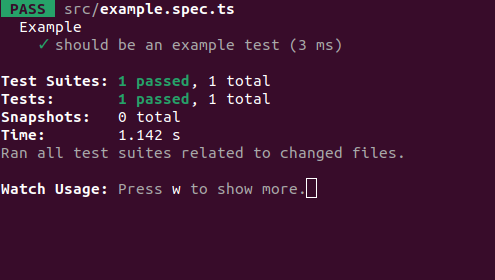
yarn test --watchTest example
describe("Example", () => {
  it("should be an example test", () => {
    expect(true).toBe(true);
  });
});
Simple unit test
function addNumbers(num1, num2) {
  return num1 + num2;
}
describe('addNumbers', () => {
  it('should add two numbers', () => {
    expect(addNumbers(1, 2)).toBe(3);
  });
});
Create a test for the service file.
Create a tasks.service.spec.ts file near the task.service.ts file. Write a mock file for the repository.
import {
  Test
}
from '@nestjs/testing';
import {
  TaskRepository
}
from './task.repository';
import {
  TasksService
}
from './tasks.service';
const mockTaskRepository = () => ({
  getTasks: jest.fn(), findOne: jest.fn(), createTask: jest.fn(), delete: jest.fn(), updateTask:
  jest.fn(),
});
const mockUser = {
  id: 'someId', username: 'Test user', password: 'password', tasks: [], created_at: new Date(),
};
describe('TasksService', () => {
  let tasksService: TasksService;
  let taskRepository: TaskRepository;
  beforeEach(async () => {
    const module = await Test.createTestingModule({
      providers: [TasksService, {
        provide: TaskRepository, useFactory: mockTaskRepository
      },],
    }).compile();
    tasksService = module.get<TasksService>(TasksService);
    taskRepository = module.get<TaskRepository>(TaskRepository);
  });
  describe('getTasks', () => {
    it('gets all tasks from the repository', async () => {
      expect(taskRepository.getTasks).not.toHaveBeenCalled();
      taskRepository.getTasks = jest.fn().mockResolvedValue('someValue');
      const result = await tasksService.getTasks(null, mockUser);
      expect(result).toEqual('someValue');
    });
  });
});
Get task by ID
describe('getTaskById', () => {
it('calls taskRepository.findOne() and successfully retrieve and return the task', async () => {
const mockTask = { title: 'Test task', description: 'Test desc' };      taskRepository.getTaskById =
jest.fn().mockResolvedValue(mockTask);      const result = await tasksService.getTaskById('someId',
mockUser);      expect(result).toEqual(mockTask);    });  });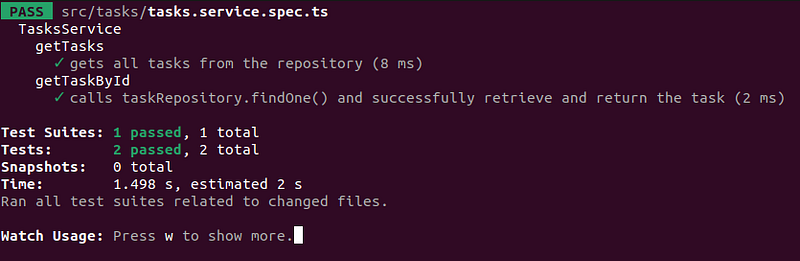
Testing against a real database
As we have seen, mocking allows for high-speed testing but has some limitations. It does not guarantee that the actual interactions between your code and the database will work correctly, as the mock objects may not accurately reflect the behavior of the real database.