📌 Introduction
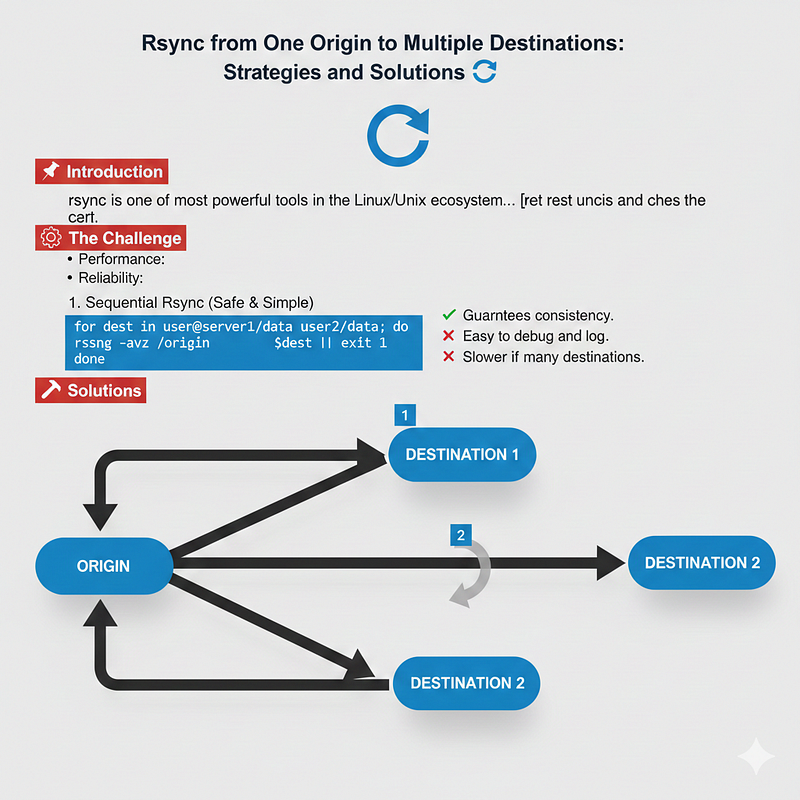
rsync is one of the most powerful tools in the Linux/Unix ecosystem for synchronizing files and directories. It excels at incremental transfers, copying only the differences between source and destination. While syncing from one origin to a single destination is straightforward, many real-world deployments require one origin → multiple destinations. This introduces questions of performance, consistency, and race condition avoidance.
⚙️ The Challenge
When syncing one origin to two or more destinations, the main concerns are:
- Consistency: Ensuring all destinations receive the same snapshot of data.
- Performance: Avoiding redundant I/O and network bottlenecks.
- Reliability: Preventing race conditions or partial updates.
🛠️ Solutions
1. Sequential Rsync (Safe & Simple)
Run rsync one after another:
for dest in user@server1:/data user@server2:/data; do rsync -avz /origin $dest || exit 1done- ✅ Guarantees consistency.
- ✅ Easy to debug and log.
- ❌ Slower if many destinations.
2. Parallel Rsync (Fast but Riskier)
Run rsync jobs simultaneously:
rsync -avz /origin user@server1:/data &rsync -avz /origin user@server2:/data &wait- ✅ Faster overall.
- ⚠️ Risks: I/O contention on origin, snapshot divergence if origin changes during sync.
- Best used when the origin is read-only during sync.
3. Hub-and-Spoke Model
Sync origin → primary destination, then primary → secondary destinations:
rsync -avz /origin user@server1:/data
rsync -avz user@server1:/data user@server2:/data- ✅ Reduces load on origin.
- ✅ Efficient if destinations are geographically close.
- ❌ Errors on primary propagate downstream.
4. Snapshot + Fan-Out (Best Practice)
Create a snapshot/staging directory, then sync that snapshot to all destinations:
rsync -av /origin /stagingfor dest in user@server1:/data user@server2:/data; do    rsync -avz
/staging $destdone- ✅ Guarantees identical content everywhere.
- ✅ Avoids race conditions if origin changes.
- ✅ Scales well with multiple destinations.
5. Automation with Scripts
Wrap rsync in a deployment script:
#!/bin/bashset -e
rsync -av /origin /stagingfor dest in user@server1:/data user@server2:/data; do
echo "Syncing to $dest..."    rsync -avz --delete /staging $dest || {        echo
"Failed to sync $dest" exit 1 }doneecho "All destinations updated successfully."- Adds logging, error handling, and retries.
- Ensures predictable, reproducible deployments.
6. Scaling Beyond Two Destinations
For larger environments:
- Use orchestration tools (Ansible, SaltStack, Fabric) to manage multi-host rsync.
- Consider distributed file systems (GlusterFS, Ceph) for real-time consistency.
- Use object storage sync tools (rclone, MinIO
mc mirror) if destinations are S3-compatible.
⚠️ Race Condition Considerations
- Rsync itself is safe: It won’t corrupt files due to concurrency.
- Risks come from outside:
- Origin changes during sync → inconsistent snapshots.
- Multiple rsyncs writing to the same destination → race condition.
- Solution: Freeze origin during sync or use snapshots.
📋 Conclusion
Synchronizing one origin to multiple destinations with rsync requires balancing consistency, performance, and reliability.
- For safety: use sequential sync.
- For speed: use parallel sync only if the origin is stable.
- For best practice: use snapshot + fan-out to guarantee identical content.
- For scale: adopt orchestration tools or distributed storage.
By combining these strategies, you can build a robust, race-condition-free deployment workflow that scales from two servers to dozens.
- Reliability: Preventing race conditions or partial updates.