Solve problem to Install Nodejs20 on Ubuntu 22.04
text
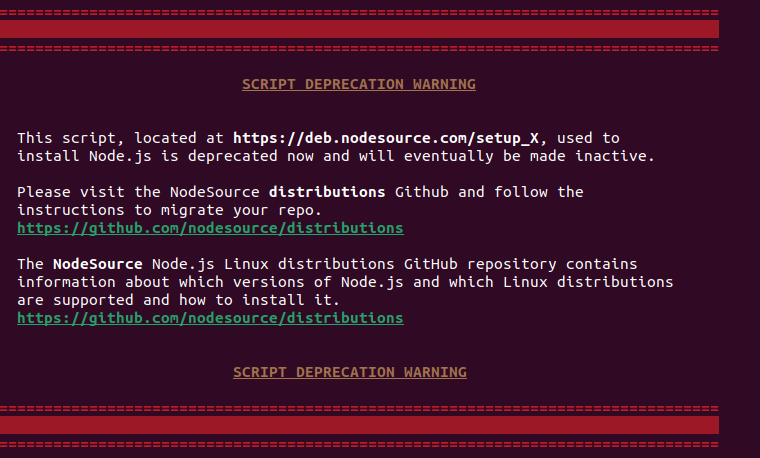
SCRIPT DEPRECATION WARNINGThis script, located at https://deb.nodesource.com/setup_X, used to
install Node.js is deprecated now and will eventually be made inactive.Please visit the NodeSource
distributions Github and follow the instructions to migrate your repo.
https://github.com/nodesource/distributionsThe NodeSource Node.js Linux distributions GitHub
repository contains information about which versions of Node.js and which Linux distributions are
supported and how to install it. https://github.com/nodesource/distributionsSCRIPT DEPRECATION
WARNING
bash
curl -fsSL https://deb.nodesource.com/setup_20.x |
sudo -E bash -
bash
## You may also need development tools to build native addons:     sudo apt-get install gcc g++
make## To install the Yarn package manager, run:     curl -sL
https://dl.yarnpkg.com/debian/pubkey.gpg | gpg --dearmor | sudo tee /usr/share/keyrings/yarnkey.gpg
>/dev/null     echo
"deb [signed-by=/usr/share/keyrings/yarnkey.gpg] https://dl.yarnpkg.com/debian stable main" | sudo
tee /etc/apt/sources.list.d/yarn.list     sudo apt-get update && sudo apt-get install yarn
Unistall Nodejs
bash
sudo
apt-get remove nodejs
sudo
apt-get remove npm
sudo
apt-get purge nodejs
sudo
apt-get updatewhich node
Install Node js 20
https://github.com/nodesource/distributions#debian-and-ubuntu-based-distributions
Node.js
If you have root access, you can omit the ‘sudo’ command as you already have full administrative privileges.
1. Download and import the Nodesource GPG key
bash
sudo
apt-get update
sudo
apt-get install -y ca-certificates
curl gnupg
sudo
mkdir -p /etc/apt/keyrings
curl -fsSL https://deb.nodesource.com/gpgkey/nodesource-repo.gpg.key |
sudo gpg --dearmor -o /etc/apt/keyrings/nodesource.gpg
2. Create deb repository
properties
NODE_MAJOR=20echo
"deb [signed-by=/etc/apt/keyrings/nodesource.gpg] https://deb.nodesource.com/node_$NODE_MAJOR.x nodistro main" | sudo tee /etc/apt/sources.list.d/nodesource.listOptional: NODE_MAJOR can be changed depending on the version you need.
dotenv
N
O
D
E_
M
A
J
O
R=16
N
O
D
E_
M
A
J
O
R=18
N
O
D
E_
M
A
J
O
R=20
N
O
D
E_
M
A
J
O
R=21
3. Run Update and Install
bash
sudo
apt-get update
sudo
apt-get install nodejs -y
text
node -vv20.5.1dpkg: error processing archive /var/cache/apt/archives/nodejs_20.5.1-deb-1nodesource1_amd64.deb ( — unpack): trying to overwrite ‘/usr/include/node/common.gypi’, which is also in package libnode-dev 12.22.9~dfsg-1ubuntu3.2dpkg-deb: error: paste subprocess was killed by signal (Broken pipe)
bash
sudo
apt-get --fix-broken install
sudo
apt autoremove
sudo
apt-get install -y nodejs