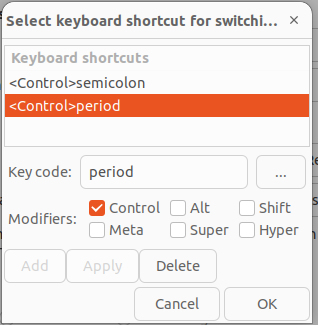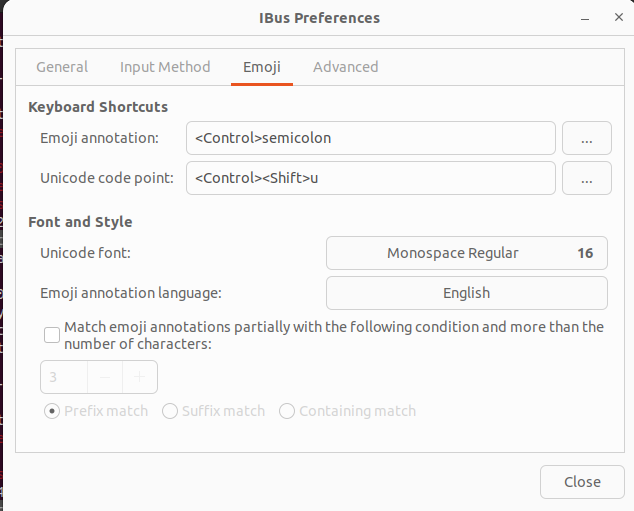
In Gnome editor on Ubuntu (and potentially other editors affected by IBus), the Ctrl+. shortcut intended for showing suggestions might instead be displaying the letter “e”. This is likely due to a new emoji hotkey implemented by IBus. To resolve this, you can use the “ibus-setup” command to access the IBus settings. Navigate to the “Emoji” tab and locate the shortcut currently assigned to Ctrl+. (It might be listed as “<Control>period;<Control>semicolon”). Click the three dots on the right and choose to either delete the shortcut entirely or reassign it to a different combination. This should restore the expected behavior of Ctrl+. in your editor.
If you are using Vscode or another editor and it shows e instead of show list, do these steps.
I found out that this has to do with a new emoji hotkey from IBus. You can remap it with ibus-setup.
Command ibus-setup opens a window.
- At the
Emojitab you will see<Control>period;<Control>semicolon - Click three dots on the right-hand side
... - Then select
<Control>periodand delete it. Or change it if you want. - Now your
ctrl + .must be working just fine.